
Build a deck with the presentation wizard
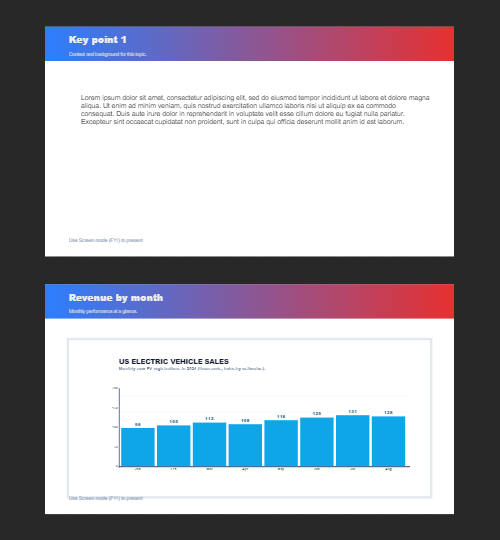
The wizard walks you through a deck, then leaves every slide editable. Use it when you want a guided start; use the presentation maker when you would rather open a slide template and design freely.

작동 원리
- Start the presentation wizard in PictorX.
- Follow the steps to structure titles, visuals, and pages.
- Refine each slide in the editor, then export or keep editing.
Wizard first, editor second
The wizard is a guided path into a multi-page project. When it finishes, you still have layers, charts, and templates in the same file—so a pitch deck does not get stuck as a one-shot export.
How this differs from the presentation maker
The presentation maker is the search page for slide templates and visual decks. This page is the product feature: a step-by-step wizard. Cross-link them, but pick the maker URL when you are choosing a template and the wizard URL when you want to be walked through a deck.
자주 묻는 질문
프리젠테이션 마법사는 무엇을 합니까?
데크를 만드는 과정을 안내한 다음 편집기에서 모든 슬라이드를 다듬습니다.
마법사가 완료된 후 슬라이드를 편집할 수 있나요?
예. 각 페이지는 프로젝트에서 편집 가능한 상태로 유지됩니다.
마법사 슬라이드에 차트를 놓을 수 있나요?
예. 마법사를 실시간 차트 및 프리젠테이션 템플릿과 결합하세요.
프레젠테이션 메이커와 동일한가요?
아니요. 프레젠테이션 작성 도구는 슬라이드 템플릿을 여는 데 사용됩니다. 마법사는 여전히 동일한 편집기에 있는 단계별 안내 흐름입니다.
관련 도구


시도해 볼 준비가 되셨나요?
브라우저에서 PictorX를 엽니다. 설치가 필요 없고 시작하는 데 신용 카드가 필요하지 않습니다.
Try Step-by-step presentation wizard