
Build a deck with the presentation wizard
The wizard walks you through a deck, then leaves every slide editable. Use it when you want a guided start; use the presentation maker when you would rather open a slide template and design freely.

यह कैसे काम करता है
- Start the presentation wizard in PictorX.
- Follow the steps to structure titles, visuals, and pages.
- Refine each slide in the editor, then export or keep editing.
Wizard first, editor second
The wizard is a guided path into a multi-page project. When it finishes, you still have layers, charts, and templates in the same file—so a pitch deck does not get stuck as a one-shot export.
How this differs from the presentation maker
The presentation maker is the search page for slide templates and visual decks. This page is the product feature: a step-by-step wizard. Cross-link them, but pick the maker URL when you are choosing a template and the wizard URL when you want to be walked through a deck.
अक्सर पूछे जाने वाले प्रश्न
प्रेजेंटेशन विज़ार्ड क्या करता है?
यह डेक बनाने में आपका मार्गदर्शन करता है, फिर आप एडिटर में हर स्लाइड परिष्कृत करते हैं।
क्या मैं विज़ार्ड समाप्त होने के बाद स्लाइड संपादित कर सकता हूँ?
हाँ। प्रोजेक्ट में हर पेज संपादन योग्य रहता है।
क्या मैं विज़ार्ड स्लाइड पर चार्ट डाल सकता हूँ?
हाँ। विज़ार्ड को लिविंग चार्ट और प्रेजेंटेशन टेम्पलेट्स के साथ जोड़ें।
क्या यह प्रेजेंटेशन मेकर जैसा ही है?
नहीं। प्रेजेंटेशन मेकर स्लाइड टेम्पलेट खोलने के लिए है। विज़ार्ड निर्देशित, चरण-दर-चरण प्रवाह है जो फिर भी उसी एडिटर में पहुँचता है।
संबंधित टूल
मुफ़्त प्रस्तुति मेकर
PictorX से निःशुल्क ऑनलाइन प्रस्तुति स्लाइड बनाएँ। पिच डेक, डैशबोर्ड और दृश्य स्लाइड जिन्हें आप ब्राउज़र में संपादित कर सकते हैं।

जीवंत चार्ट और डेटा
ब्राउज़र में डेटा तालिका से संपादन योग्य चार्ट बनाएँ: कॉलम, बार, लाइन, पाई, रडार और अन्य। PNG सहेजें या PictorX संपादक में खोलें।
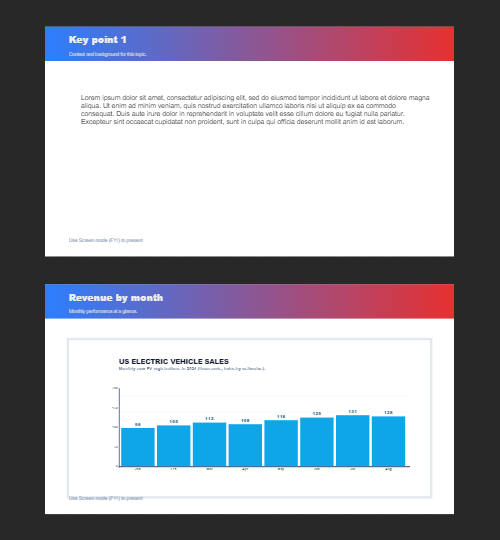
एकाधिक पृष्ठ
Document मोड में बहु-पृष्ठ दस्तावेज़ बनाएँ—प्रस्तुति, ब्रोशर और बहु-स्क्रीन लेआउट के लिए आदर्श। कैनवस के ऊपर की पट्टी से पृष्ठ बदलें। दस्तावेज़ पृष्ठ मेनू से पृष्ठ जोड़ें, वर्तमान पृष्ठ डुप्लिकेट करें, और Move page up…
आज़माने के लिए तैयार?
अपने ब्राउज़र में PictorX खोलें — शुरू करने के लिए इंस्टॉल या क्रेडिट कार्ड की ज़रूरत नहीं।
Try Step-by-step presentation wizard