
Build a deck with the presentation wizard
The wizard walks you through a deck, then leaves every slide editable. Use it when you want a guided start; use the presentation maker when you would rather open a slide template and design freely.

使い方
- Start the presentation wizard in PictorX.
- Follow the steps to structure titles, visuals, and pages.
- Refine each slide in the editor, then export or keep editing.
Wizard first, editor second
The wizard is a guided path into a multi-page project. When it finishes, you still have layers, charts, and templates in the same file—so a pitch deck does not get stuck as a one-shot export.
How this differs from the presentation maker
The presentation maker is the search page for slide templates and visual decks. This page is the product feature: a step-by-step wizard. Cross-link them, but pick the maker URL when you are choosing a template and the wizard URL when you want to be walked through a deck.
よくある質問
プレゼンウィザードは何をしますか?
デッキ作りを案内し、その後エディターですべてのスライドを整えます。
ウィザード終了後にスライドを編集できますか?
はい。各ページはプロジェクト内で編集可能なままです。
ウィザードのスライドにグラフを置けますか?
はい。ウィザードをライブグラフやプレゼンテンプレートと組み合わせられます。
プレゼンメーカーと同じですか?
いいえ。プレゼンメーカーはスライドテンプレートを開くためのものです。ウィザードは案内付きの手順で、同じエディターに着地します。
関連ツール

無料プレゼンメーカー
PictorX でプレゼンのスライドを無料オンラインで。ピッチデッキ、ダッシュボード、ブラウザで編集できるビジュアルスライド。

リビングチャートとデータ
ブラウザの表データから編集可能なグラフを作成。縦棒、横棒、折れ線、円、レーダーなど。PNG を保存するか PictorX エディターで開きます。
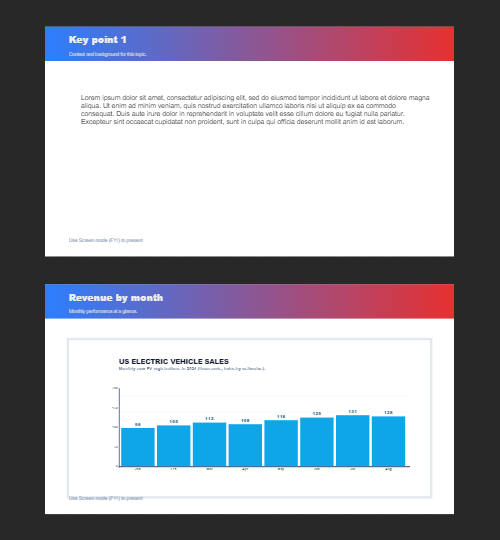
複数ページ
ドキュメントモードで複数ページの資料を。プレゼン、パンフレット、複数画面のレイアウトに最適です。キャンバス上のストリップでページを切り替え、ドキュメントページメニューから追加、複製、「ページを上へ / 下へ」で並べ替え。あるページのレイヤーを 編集 → コピー (Ctrl+C) でコピーし、別ページで 編集 → 新規レイヤーとして貼り付け (Ctrl+V) で貼り付け。シェイプ、テキスト、スタイル、効果はそのまま移ります。
試してみますか?
ブラウザで PictorX を開きます。インストール不要、始めるのにクレジットカードも不要です。
Try Step-by-step presentation wizard