
Build a deck with the presentation wizard
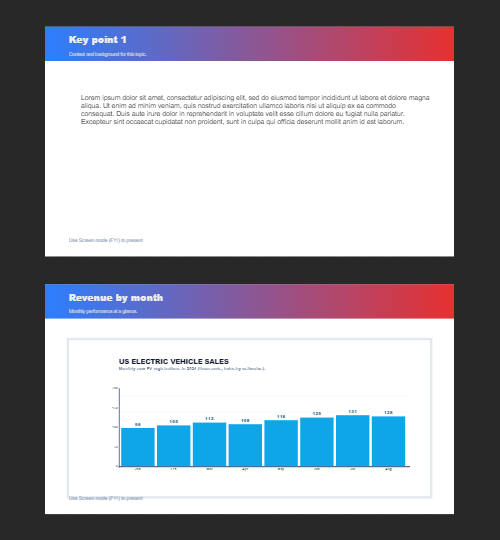
The wizard walks you through a deck, then leaves every slide editable. Use it when you want a guided start; use the presentation maker when you would rather open a slide template and design freely.

Sådan virker det
- Start the presentation wizard in PictorX.
- Follow the steps to structure titles, visuals, and pages.
- Refine each slide in the editor, then export or keep editing.
Wizard first, editor second
The wizard is a guided path into a multi-page project. When it finishes, you still have layers, charts, and templates in the same file—so a pitch deck does not get stuck as a one-shot export.
How this differs from the presentation maker
The presentation maker is the search page for slide templates and visual decks. This page is the product feature: a step-by-step wizard. Cross-link them, but pick the maker URL when you are choosing a template and the wizard URL when you want to be walked through a deck.
Ofte stillede spørgsmål
Hvad gør præsentationsguiden?
Det fører dig gennem bygge et dæk, så du raffinere hvert dias i redaktøren.
Kan jeg redigere et dias efter guiden er færdig?
Ja. Hver side kan redigeres i projektet.
Må jeg sætte et diagram på et troldmandsshow?
Ja. Par guiden med levende diagrammer og præsentationsskabeloner.
Er det det samme som præsentationen?
Nej. Præsentationen maker er til at åbne dias skabeloner. Guiden er en styret, step-by-step flow, der stadig lander i samme editor.
Relaterede værktøjer

Gratis præsentationsmaskine
Opret præsentation lysbilleder gratis online med PictorX. Pitch dæk, dashboards, og visuelle dias du kan redigere i browseren.

Levende diagrammer og data
Lav redigerbare diagrammer ud fra en datatabel i browseren: søjler, bjælker, linjer, lagkager, radar og mere. Gem en PNG, eller åbn PictorX-editoren.
Flere sider
Byg flersidet dokumenter i dokumenttilstand - ideel til præsentationer, brochurer og flersidet layout.
Er du klar til at prøve?
Åbn PictorX i din browser - ingen installation, ingen kreditkort kræves for at starte.
Try Step-by-step presentation wizard