
Build a deck with the presentation wizard
The wizard walks you through a deck, then leaves every slide editable. Use it when you want a guided start; use the presentation maker when you would rather open a slide template and design freely.

Come funziona
- Start the presentation wizard in PictorX.
- Follow the steps to structure titles, visuals, and pages.
- Refine each slide in the editor, then export or keep editing.
Wizard first, editor second
The wizard is a guided path into a multi-page project. When it finishes, you still have layers, charts, and templates in the same file—so a pitch deck does not get stuck as a one-shot export.
How this differs from the presentation maker
The presentation maker is the search page for slide templates and visual decks. This page is the product feature: a step-by-step wizard. Cross-link them, but pick the maker URL when you are choosing a template and the wizard URL when you want to be walked through a deck.
Domande frequenti
Cosa fa la procedura guidata di presentazione?
Ti guida attraverso la creazione di un mazzo, quindi perfezioni ogni diapositiva nell'editor.
Posso modificare una diapositiva al termine della procedura guidata?
SÌ. Ogni pagina rimane modificabile nel progetto.
Posso trascinare un grafico su una diapositiva della procedura guidata?
SÌ. Abbina la procedura guidata a grafici viventi e modelli di presentazione.
Come faccio a togliere il mazzo da PictorX?
Esporta le immagini delle diapositive o continua a modificare pagina per pagina fino alla presentazione.
Strumenti correlati
Creatore di presentazioni gratuito
Crea diapositive di presentazione online gratuitamente con PictorX. Presentazioni, dashboard e diapositive visive che puoi modificare nel browser.

Strumento Grafici viventi e dati
Racconta storie con i numeri — non con fogli di calcolo. Usa l’editor PictorX gratuito nel browser.
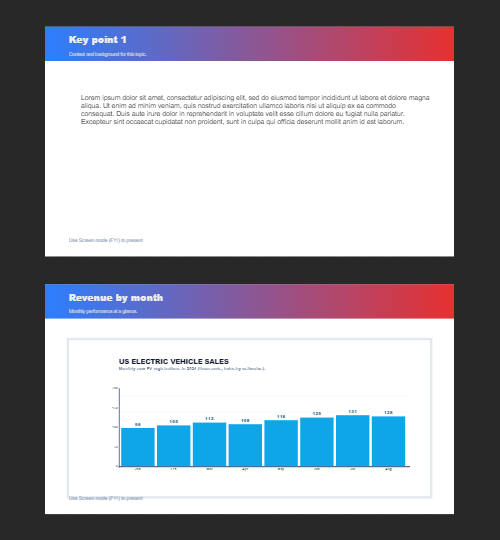
Pagine multiple
Crea documenti multipagina in modalità Documento — ideale per presentazioni, brochure e layout multi-schermo. Usa PictorX gratis nel browser, senza installare software.
Pronto a provarlo?
Apri PictorX nel tuo browser: nessuna installazione, nessuna carta di credito richiesta per iniziare.
Try Step-by-step presentation wizard