
Build a deck with the presentation wizard
The wizard walks you through a deck, then leaves every slide editable. Use it when you want a guided start; use the presentation maker when you would rather open a slide template and design freely.

Cách nó hoạt động
- Start the presentation wizard in PictorX.
- Follow the steps to structure titles, visuals, and pages.
- Refine each slide in the editor, then export or keep editing.
Wizard first, editor second
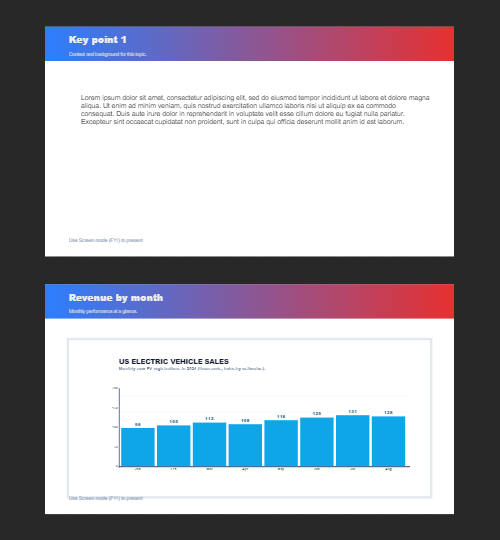
The wizard is a guided path into a multi-page project. When it finishes, you still have layers, charts, and templates in the same file—so a pitch deck does not get stuck as a one-shot export.
How this differs from the presentation maker
The presentation maker is the search page for slide templates and visual decks. This page is the product feature: a step-by-step wizard. Cross-link them, but pick the maker URL when you are choosing a template and the wizard URL when you want to be walked through a deck.
Hỏi thường xuyên
Trợ lý trình bày làm gì?
Nó sẽ đưa bạn đi qua việc xây dựng một bộ bài, sau đó bạn tinh chỉnh từng slide trong biên tập viên.
Tôi có thể chỉnh sửa slide sau khi ông phù thủy hoàn thành không?
Phải. Mỗi trang được chỉnh sửa trong dự án.
Tôi có thể thả một biểu đồ lên một slide pháp sư không?
Phải. Cặp đôi phù thủy với biểu đồ sống và mẫu trình diễn.
Cái này có giống với người làm bài thuyết trình không?
Không. Người trình diễn là để mở mẫu trình chiếu. Phù thủy là một người dẫn đường, từng bước một vẫn nằm trong cùng một biên tập.
Công cụ liên quan

Trình bày miễn phí
Tạo trình chiếu miễn phí với PictorX. Bảng màu, bảng điều khiển và hình ảnh hiển thị bạn có thể chỉnh sửa trong trình duyệt.

Biểu đồ sống và dữ liệu
Tạo biểu đồ có thể sửa từ bảng dữ liệu trong trình duyệt: cột, thanh, đường, tròn, radar và hơn thế. Lưu PNG hoặc mở trong trình chỉnh sửa PictorX.
Nhiều trang
Xây dựng tài liệu đa trang trong chế độ Tài liệu-hình mẫu cho các bài thuyết trình, sách mỏng, và bố trí đa màn hình.
Sẵn sàng thử chưa?
Mở PictorX trong trình duyệt của bạn — không cài đặt, không cần thiết thẻ tín dụng để khởi động.
Try Step-by-step presentation wizard