
Build a deck with the presentation wizard
The wizard walks you through a deck, then leaves every slide editable. Use it when you want a guided start; use the presentation maker when you would rather open a slide template and design freely.

Jak to działa
- Start the presentation wizard in PictorX.
- Follow the steps to structure titles, visuals, and pages.
- Refine each slide in the editor, then export or keep editing.
Wizard first, editor second
The wizard is a guided path into a multi-page project. When it finishes, you still have layers, charts, and templates in the same file—so a pitch deck does not get stuck as a one-shot export.
How this differs from the presentation maker
The presentation maker is the search page for slide templates and visual decks. This page is the product feature: a step-by-step wizard. Cross-link them, but pick the maker URL when you are choosing a template and the wizard URL when you want to be walked through a deck.
Często zadawane pytania
Co robi the presentation wizard?
Prowadzi Cię przez proces tworzenia talii, a następnie udoskonalasz każdy slajd w edytorze.
Czy mogę edytować slajd po zakończeniu kreatora?
Tak. Każda strona pozostaje edytowalna w projekcie.
Czy mogę drop a chart onto a wizard slide?
Tak. Połącz kreatora z żywymi wykresami i szablonami prezentacji.
Czy to to samo, co kreator prezentacji?
Nie. Kreator prezentacji służy do otwierania szablonów slajdów. Kreator to proces krok po kroku, który nadal trafia do tego samego edytora.
Powiązane narzędzia
Darmowy kreator prezentacji
Twórz slajdy prezentacji bezpłatnie online dzięki PictorX. Prezentacje, dashboardy i slajdy wizualne można edytować w przeglądarce.

Żywe wykresy i dane
Twórz edytowalne wykresy z tabeli danych w przeglądarce: kolumny, słupki, linie, koła, radar i inne. Zapisz PNG albo otwórz edytor PictorX.
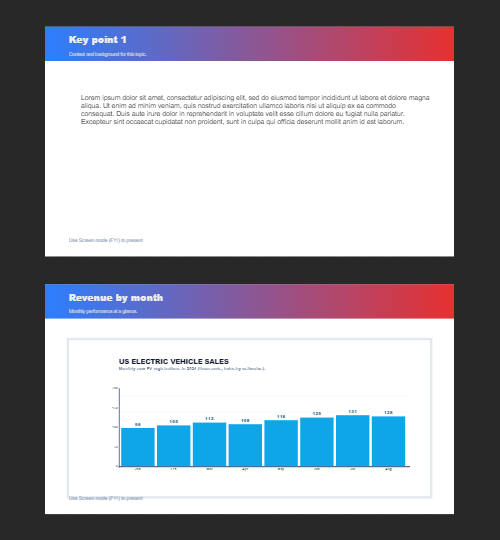
Wiele stron
Twórz wielostronicowe dokumenty w trybie Dokument — idealny do prezentacji, broszur i układów wieloekranowych.
Chcesz wypróbować?
Otwórz PictorX w swojej przeglądarce — do uruchomienia nie jest wymagana żadna instalacja ani karta kredytowa.
Try Step-by-step presentation wizard