
Build a deck with the presentation wizard
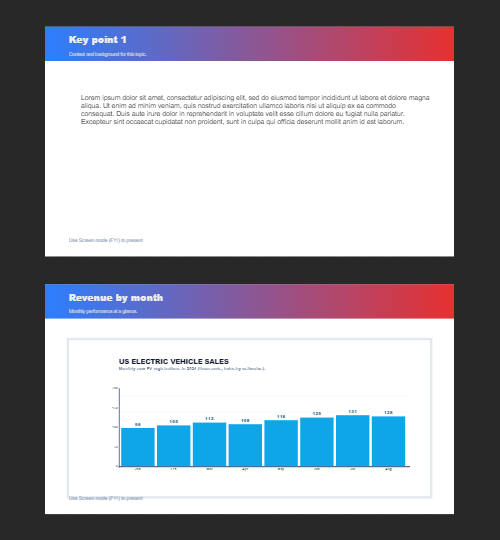
The wizard walks you through a deck, then leaves every slide editable. Use it when you want a guided start; use the presentation maker when you would rather open a slide template and design freely.

Cum funcţionează
- Start the presentation wizard in PictorX.
- Follow the steps to structure titles, visuals, and pages.
- Refine each slide in the editor, then export or keep editing.
Wizard first, editor second
The wizard is a guided path into a multi-page project. When it finishes, you still have layers, charts, and templates in the same file—so a pitch deck does not get stuck as a one-shot export.
How this differs from the presentation maker
The presentation maker is the search page for slide templates and visual decks. This page is the product feature: a step-by-step wizard. Cross-link them, but pick the maker URL when you are choosing a template and the wizard URL when you want to be walked through a deck.
Întrebări frecvente
Ce face vrăjitorul de prezentare?
Te plimbă prin construirea unui pachet, apoi rafinezi fiecare diapozitiv din editor.
Pot edita un diapozitiv după ce vrăjitorul termină?
Da. Fiecare pagină rămâne editabilă în proiect.
Pot arunca o diagramă pe un diapozitiv vrăjitor?
Da. Perechi de vrăjitor cu diagrame de viață și șabloane de prezentare.
E la fel ca cel care face prezentarea?
Nu. Producătorul de prezentare este pentru deschiderea șabloanelor. Vrăjitorul este ghidat, pas cu pas fluxul care încă aterizează în același editor.
Unelte conexe

Creator de prezentare gratuit
Creați slide-uri de prezentare gratuit online cu XRBrand5X. Punți de pitch, borduri, și diapozitive vizuale puteți edita în browser.

Grafice și date vii
Creează grafice editabile dintr-un tabel în browser: coloane, bare, linii, plăcinte, radar și altele. Salvează un PNG sau deschide editorul PictorX.
Pagini multiple
Construiți documente multi-pagină în mod documentat, pentru prezentări, broșuri și formate multi-screen.
Eşti gata să încerci?
Deschide PictorX în browser-ul tău
Try Step-by-step presentation wizard