
Build a deck with the presentation wizard
The wizard walks you through a deck, then leaves every slide editable. Use it when you want a guided start; use the presentation maker when you would rather open a slide template and design freely.

Como funciona
- Start the presentation wizard in PictorX.
- Follow the steps to structure titles, visuals, and pages.
- Refine each slide in the editor, then export or keep editing.
Wizard first, editor second
The wizard is a guided path into a multi-page project. When it finishes, you still have layers, charts, and templates in the same file—so a pitch deck does not get stuck as a one-shot export.
How this differs from the presentation maker
The presentation maker is the search page for slide templates and visual decks. This page is the product feature: a step-by-step wizard. Cross-link them, but pick the maker URL when you are choosing a template and the wizard URL when you want to be walked through a deck.
Perguntas frequentes
O que o assistente de apresentação faz?
Ele orienta você na construção de uma apresentação e, em seguida, você refina cada slide no editor.
Posso editar um slide após a conclusão do assistente?
Sim. Cada página permanece editável no projeto.
Posso colocar um gráfico em um slide do assistente?
Sim. Combine o assistente com gráficos dinâmicos e modelos de apresentação.
Como faço para tirar o baralho do PictorX?
Exporte imagens de slides ou continue editando página por página até apresentar.
Ferramentas relacionadas
Criador de apresentações grátis
Crie slides de apresentação online gratuitamente com PictorX. Apresentações de argumentos de venda, painéis e slides visuais que você pode editar no navegador.

Ferramenta Gráficos vivos e dados
Conte histórias com números — não com folhas de cálculo. Use o editor PictorX gratuito no navegador.
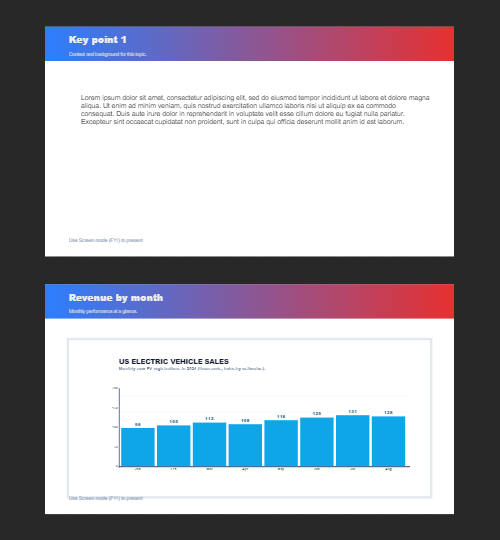
Várias páginas
Crie documentos multipágina no modo Documento — ideal para apresentações, brochuras e layouts multi-ecrã. Use o PictorX grátis no navegador, sem instalar software.
Pronto para experimentar?
Abra o PictorX em seu navegador – sem instalação, sem necessidade de cartão de crédito para iniciar.
Try Step-by-step presentation wizard