
Build a deck with the presentation wizard
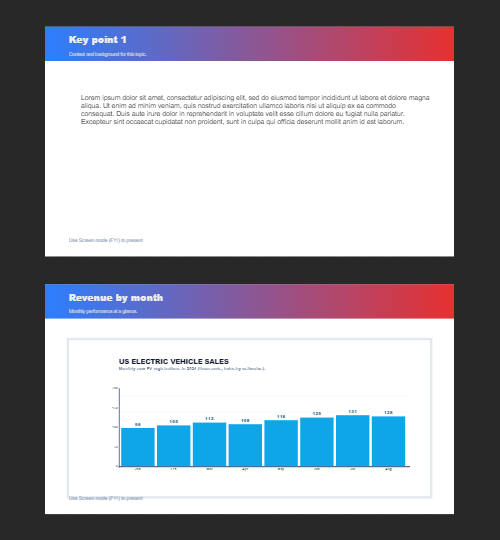
The wizard walks you through a deck, then leaves every slide editable. Use it when you want a guided start; use the presentation maker when you would rather open a slide template and design freely.

Nasıl çalışır
- Start the presentation wizard in PictorX.
- Follow the steps to structure titles, visuals, and pages.
- Refine each slide in the editor, then export or keep editing.
Wizard first, editor second
The wizard is a guided path into a multi-page project. When it finishes, you still have layers, charts, and templates in the same file—so a pitch deck does not get stuck as a one-shot export.
How this differs from the presentation maker
The presentation maker is the search page for slide templates and visual decks. This page is the product feature: a step-by-step wizard. Cross-link them, but pick the maker URL when you are choosing a template and the wizard URL when you want to be walked through a deck.
Sık sorulan sorular
Sunum sihirbazı ne yapar?
Bir güverte inşa ederek sizi yürür, o zaman editörün her slaytını rafine edersiniz.
Sihirbaz bittikten sonra bir slayt düzenleyebilir miyim?
Evet. Her sayfa projede düzenlenebilir.
Bir sihirbaz kaydırağına bir grafik bırakabilir miyim?
Evet. Sihirbazı canlı grafikler ve sunum şablonları ile onurlandırır.
Bu sunum yapımcısı olarak aynı mı?
Hayır. Sunum yapımcısı slayt şablonları açmak içindir. Sihirbaz, aynı editörün içinde hala topraklara giden bir yol göstericidir.
İlgili araçlar

Ücretsiz sunum yapımcısı
Sunum slaytlarını PictorX ile ücretsiz online oluşturun. Saha güverteleri, panolar ve görsel slaytlar tarayıcıda düzenleyebilirsiniz.

Canlı grafikler ve veriler
Tarayıcıda bir veri tablosundan düzenlenebilir grafikler oluşturun: sütun, çubuk, çizgi, pasta, radar ve daha fazlası. PNG kaydedin veya PictorX editöründe açın.
Birden çok sayfa
Doküman modunda çok sayfalı belgeler inşa edin – sunumlar, broşürler ve çok ekran yapılar için.
Bunu denemeye hazır mısın?
Pencere PictorX tarayıcınızda - yükleme yok, başlamak için gerekli kredi kartı yok.
Try Step-by-step presentation wizard