

Try a Games look below, or open your own picture.
Jogos
Turn photos into playable looks with Efeitos → Jogos—jigsaw puzzle, Lego and Ministeck mosaics, Tetris blocks, and sliding puzzles. Open a picture, pick a Games effect, and keep editing in PictorX. Try a Games look below, or open your own picture.
Como funciona
- Abra o PictorX no navegador e inicie um novo projeto ou carregue uma imagem.
- Use Jogos para moldar o resultado e depois refine-o com as outras ferramentas do editor.
- Continue editando, exporte o trabalho ou transforme o resultado no seu próximo design.
Como Jogos se encaixa no seu fluxo de trabalho
Turn photos into playable looks with Efeitos → Jogos—jigsaw puzzle, Lego and Ministeck mosaics, Tetris blocks, and sliding puzzles. O PictorX mantém o recurso junto das suas fotos, camadas, tipografia e ferramentas de design, para ir da ideia ao gráfico final sem mudar de aplicação.
Crie mais com Jogos
Comece com uma alteração focada, reveja o resultado no contexto e continue a iterar. Combine Jogos com outras ferramentas PictorX para redes sociais, apresentações, impressão ou projetos pessoais.
Looks in this set
Perguntas frequentes
Which Games looks are included?
Jigsaw Puzzle, Lego Mosaic, Ministeck Mosaic, Tetris, and Sliding Puzzle—the full Games filter menu.
Is this the same as the Puzzle page?
Puzzle is a dedicated jigsaw landing. Games groups every Games-menu effect, including puzzle, brick mosaics, Tetris, and sliding tiles.
Will Lego or Tetris look like real toys?
They are photo effects that rebuild the image as bricks or blocks. Block size and color options change how toy-like it feels.
Can I keep editing after applying a look?
Yes. Apply a Games effect, then keep using layers, text, and other filters in the same PictorX workspace.
Ferramentas relacionadas
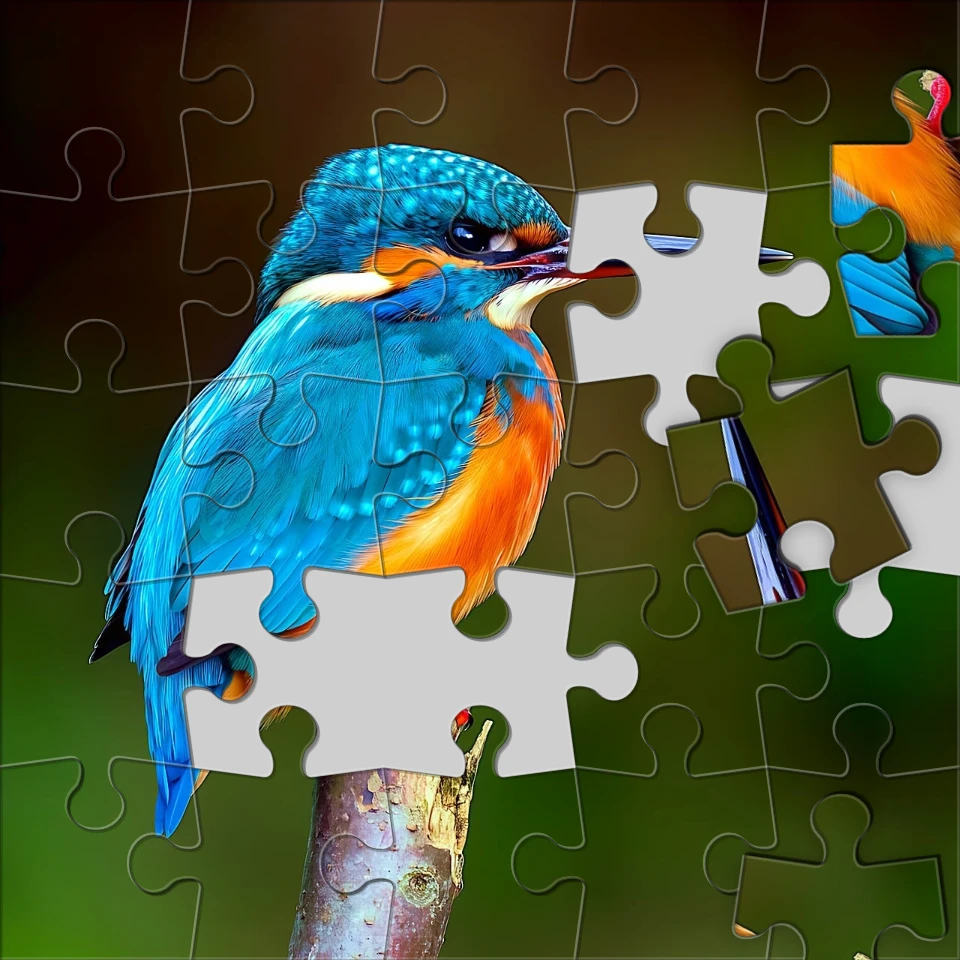
Transforme uma foto num quebra-cabeça
Transforme uma foto num quebra-cabeça no browser. Defina o número de peças, remova ou espalhe peças e funda a imagem no quebra-cabeça. Nada é enviado para os servidores PictorX.

Efeitos de pixelização
Transforme fotos em mosaicos, hexágonos, cristais, arte low-poly, pontos de meio-tom e paletas de arcade retrô. Use o PictorX gratuitamente em seu navegador, sem necessidade de instalação de software.

Efeitos artísticos
Transforme fotos com pintura a óleo, aquarela, lápis, tinta de banda desenhada, pastéis, recortes de papel e outros looks de arte de estúdio. Use o PictorX gratuitamente em seu navegador, sem necessidade de instalação de software.

Dobre uma foto num caleidoscópio
Transforme uma foto num padrão de caleidoscópio radial no browser. Defina lados, ângulo e rotação. Nada é enviado para os servidores PictorX.
Pronto para experimentar?
Abra o PictorX em seu navegador – sem instalação, sem necessidade de cartão de crédito para iniciar.
Ir para o editor