

Try a Games look below, or open your own picture.
Juegos
Turn photos into playable looks with Efectos → Juegos—jigsaw puzzle, Lego and Ministeck mosaics, Tetris blocks, and sliding puzzles. Open a picture, pick a Games effect, and keep editing in PictorX. Try a Games look below, or open your own picture.
como funciona
- Abre PictorX en el navegador y comienza un proyecto nuevo o carga una imagen.
- Usa Juegos para dar forma al resultado y luego afínalo con las demás herramientas del editor.
- Sigue editando, exporta tu trabajo o convierte el resultado en tu próximo diseño.
Cómo encaja Juegos en tu flujo de trabajo
Turn photos into playable looks with Efectos → Juegos—jigsaw puzzle, Lego and Ministeck mosaics, Tetris blocks, and sliding puzzles. PictorX mantiene la función junto a tus fotos, capas, tipografía y herramientas de diseño, para pasar de una idea a un gráfico terminado sin cambiar de aplicación.
Crea más con Juegos
Empieza con un cambio concreto, revisa el resultado en contexto y sigue iterando. Combina Juegos con otras herramientas PictorX para redes, presentaciones, impresión o proyectos personales.
Looks in this set
Preguntas frecuentes
Which Games looks are included?
Jigsaw Puzzle, Lego Mosaic, Ministeck Mosaic, Tetris, and Sliding Puzzle—the full Games filter menu.
Is this the same as the Puzzle page?
Puzzle is a dedicated jigsaw landing. Games groups every Games-menu effect, including puzzle, brick mosaics, Tetris, and sliding tiles.
Will Lego or Tetris look like real toys?
They are photo effects that rebuild the image as bricks or blocks. Block size and color options change how toy-like it feels.
Can I keep editing after applying a look?
Yes. Apply a Games effect, then keep using layers, text, and other filters in the same PictorX workspace.
Herramientas relacionadas
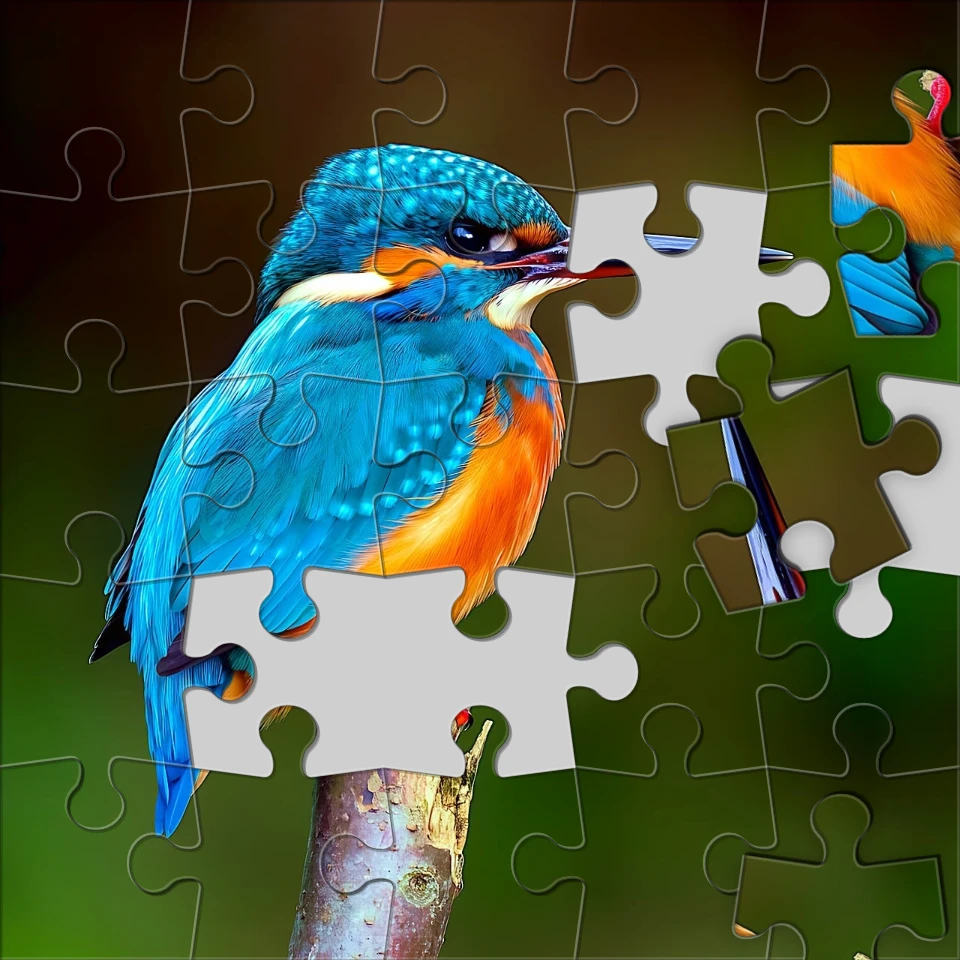
Convierte una foto en un rompecabezas
Convierte una foto en un rompecabezas en el navegador. Elige el número de piezas, quita o esparce fichas y funde la imagen en el rompecabezas. No se sube nada a los servidores de PictorX.

Efectos de pixelado
Convierte fotos en mosaicos, hexágonos, cristales, arte de baja poli, puntos de medios tonos y paletas de arcade retro. Utilice PictorX gratis en su navegador sin necesidad de instalar software.

Efectos artísticos
Transforme fotografías con pintura al óleo, acuarela, lápiz, tinta de cómic, pasteles, recortes de papel y otros estilos de arte de estudio. Utilice PictorX gratis en su navegador sin necesidad de instalar software.

Dobla una foto en un caleidoscopio
Convierte una foto en un patrón de caleidoscopio radial en el navegador. Ajusta lados, ángulo y rotación. No se sube nada a los servidores de PictorX.
¿Listo para probarlo?
Abra PictorX en su navegador: no requiere instalación ni tarjeta de crédito para comenzar.
Ir al editor