
Acid–base titration: watch the pH jump
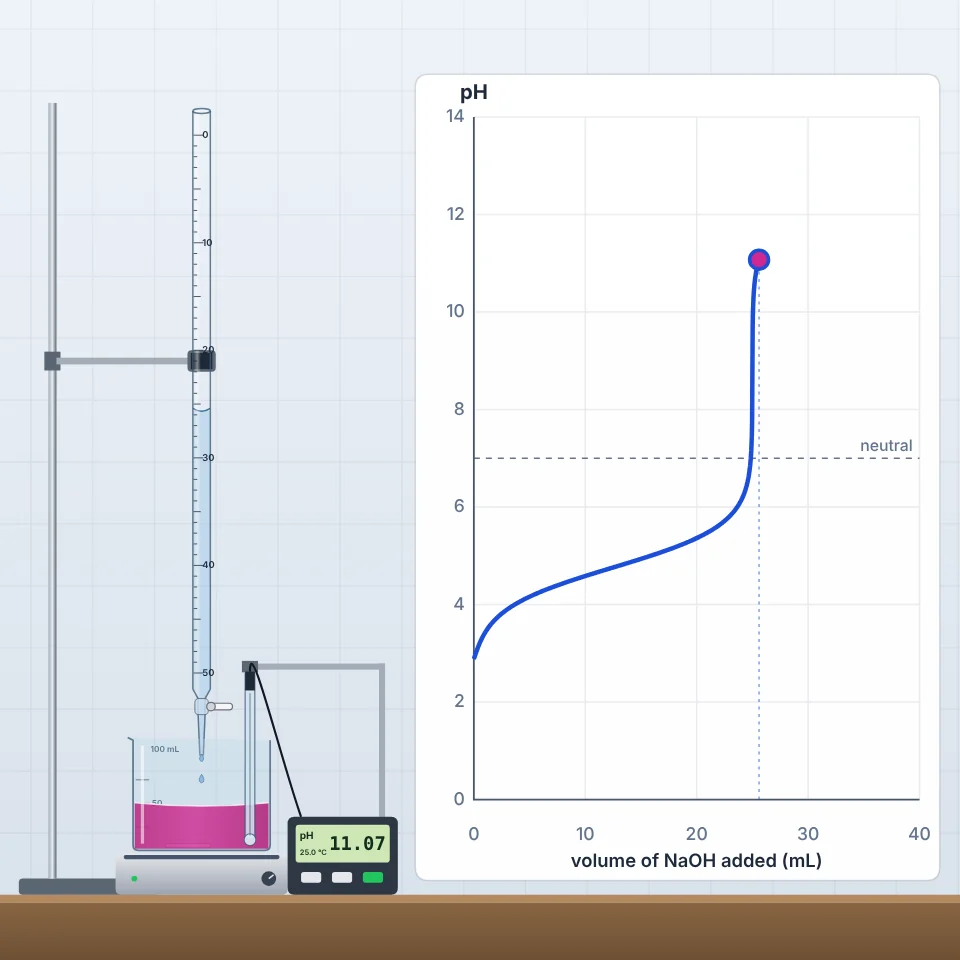
A titration finds the concentration of an acid or a base by adding a solution of known concentration until the two have exactly neutralised each other. Here a burette drips sodium hydroxide or hydrochloric acid into a beaker on a magnetic stirrer, the indicator colours the liquid, a pH meter reads the pH and the titration curve draws itself as you go. The pH is calculated exactly from the equilibria in the beaker, so the curves of strong and weak acids, weak bases and acids with two or three protons come out as they do in the lab. Press Play and the stopcock opens: titrant drips from the burette into the beaker, the stirrer mixes it in, the pH meter reads the pH and the titration curve grows on the right. Near the equivalence point a single drop changes the pH by several units and the indicator changes colour; Dropwise slows the flow there, and Stop at the colour change closes the stopcock at the end point, as you would in the lab. Step adds one drop (or 0.1, 0.5 or 1 mL) and Back takes it away; drag along the curve to go to any volume. The red dots are the equivalence points, found on the curve as its steepest points; the purple circles are the half-equivalence points, where the pH equals the pKa, in the middle of the green buffer region. The coloured band is the indicator's range and the strip under the axis shows its colour at each volume. Try the examples: a strong acid, a weak acid, a weak base, phosphoric acid with three protons, sodium carbonate with two end points, an indicator that changes far too early, and the challenge: titrate an acid of unknown concentration to the colour change and work out its concentration from c = c(NaOH) × V(NaOH) / V(acid). With Sound on every drop lands with a drip; Record films it with the sound.
How it works
- Press Play: the stopcock opens, the titrant drips into the beaker and the pH meter and the curve follow every drop.
- Watch the colour: near the equivalence point one drop moves the pH by several units, the indicator changes colour and the titration stops at the end point.
- Read the curve: the equivalence point, the half-equivalence point where pH = pKa, the buffer region and the indicator's range, with the pH, the volume, [H⁺] and the colour on the tiles.
- Choose another acid, base or indicator, drag along the curve, try phosphoric acid or sodium carbonate, solve the unknown-concentration challenge, and switch Sound on to hear the drops and record a video.
Strong and weak acids
A strong acid such as hydrochloric acid gives up all its protons in water, so 0.1 mol/L HCl has pH 1.00. A weak acid such as acetic acid gives up only a small part of them, set by its acid dissociation constant Ka = [H⁺][A⁻]/[HA]: acetic acid has Ka = 1.74 × 10⁻⁵, pKa 4.76, and a 0.1 mol/L solution has pH 2.88. Water itself takes part: [H⁺][OH⁻] = Kw = 1.0 × 10⁻¹⁴ at 25 °C, so pH + pOH = 14 and pure water has pH 7. A weak base such as ammonia takes protons from water; its strength is given by the pKa of its conjugate acid, ammonium, 9.25.
The titration curve and the equivalence point
As base is added to an acid, the pH rises slowly at first, then very steeply, then slowly again. The steep part is the equivalence point, where the moles of base added equal the moles of acid in the beaker: c(acid) × V(acid) = c(base) × V(base) for a monoprotic acid. For a strong acid and a strong base the solution there contains only salt and water, pH 7. For a weak acid it contains the acid's conjugate base, which makes it basic (8.7 for acetic acid); for a weak base titrated with a strong acid it is acidic (5.3 for ammonia). The app finds the equivalence point on the curve as its steepest point.
Buffers and the half-equivalence point
Before the equivalence point of a weak acid, the beaker holds both the acid and its conjugate base, a buffer, and the pH changes only slowly. The Henderson–Hasselbalch equation pH = pKa + log([A⁻]/[HA]) describes it. Halfway to the equivalence point half of the acid has been converted, [A⁻] = [HA], and the pH equals the pKa: that is how pKa values are measured. A buffer works best within about one pH unit of its pKa, where the ratio lies between 1:10 and 10:1.
Indicators and the end point
An indicator is a weak acid whose acid and base forms have different colours. It changes colour over about two pH units around its own pKa: methyl orange from red to yellow between pH 3.1 and 4.4, methyl red between 4.4 and 6.2, bromothymol blue from yellow to blue between 6.0 and 7.6, phenolphthalein from colourless to pink between 8.2 and 10.0. The end point, where the colour changes, should lie on the steep part of the curve. Phenolphthalein suits a weak acid titrated with sodium hydroxide, methyl orange or methyl red a weak base titrated with hydrochloric acid; for a strong acid and a strong base almost any of them works, because the jump spans pH 4 to 10.
Frequently asked questions
Why is the pH at the equivalence point not always 7?
Because the salt formed can itself react with water. When acetic acid is neutralised by sodium hydroxide, the beaker holds sodium acetate; acetate is the conjugate base of a weak acid and takes protons from water, so the solution is basic, pH 8.73 at 0.05 mol/L. Ammonium chloride, formed when ammonia is titrated with hydrochloric acid, is acidic, pH 5.28. Only a strong acid and a strong base give pH 7, because sodium and chloride ions do not react with water.
What is the difference between the equivalence point and the end point?
The equivalence point is a fact of chemistry: the amount of titrant added exactly matches the amount of analyte. The end point is what you see: the moment the indicator changes colour. A well-chosen indicator changes on the steep part of the curve, so the two differ by less than a drop. Choose The wrong indicator in the app to see methyl orange change colour after only about 2.4 mL in a titration whose equivalence point is at 25 mL.
How do I calculate the concentration from a titration?
Multiply the titrant's concentration by the volume used to reach the end point to get the moles of titrant, use the reaction's ratio to get the moles of analyte, and divide by the analyte's volume. For hydrochloric acid and sodium hydroxide the ratio is 1:1: c(HCl) = 0.100 mol/L × 21.40 mL / 25.00 mL = 0.0856 mol/L. In the app's challenge, titrate to the colour change, calculate and type your answer.
Why does phosphoric acid show only two jumps when it has three protons?
Its three pKa values are 2.15, 7.20 and 12.35. The first two protons are titrated in clearly separated steps, with jumps near pH 4.7 and 9.7. The third proton is so weakly acidic that its conjugate base, phosphate, is almost as basic as the sodium hydroxide being added, so the pH barely changes at the third equivalence point: in water it cannot be seen. Citric acid's three pKa values are so close together that it titrates like a single acid with one jump.
How is the pH calculated in the app?
Exactly, without the usual approximations. For each volume the app writes the charge balance of the solution: the positive charges ([H⁺], sodium, ammonium) must equal the negative ones ([OH⁻], chloride, acetate, the phosphate ions ...), with each acid's species given by its pKa values and Kw = 1.0 × 10⁻¹⁴. This equation has exactly one solution for [H⁺], which is found numerically. That is why it gives pH 6.98 for 10⁻⁸ mol/L hydrochloric acid, where the simple formula would give a basic pH of 8.
Can I use the picture?
Yes. Save gives a PNG at the size you choose, and the pencil opens the picture in the PictorX photo editor with the background, the stand and burette, the drops, the beaker, the liquid, the pH meter, the pH curve, the markers and the labels on layers of their own, and the caption as editable text. In the editor itself it is under Apps ▸ Science ▸ Chemistry ▸ Acid–Base Titration. Everything runs in your browser.
Acid–Base Titration: how do I record a video?
Press the red Record button in the playback bar: it films what the stage shows. Press it again to stop, and the video is saved to your device. Recording is free; you only need to sign in. Without a subscription the video carries a small PictorX logo in a corner. The button beside Record opens the video options: the shape (as shown, square, story 9:16 or wide 16:9), the length (until you stop, or 5, 10, 15 or 30 seconds for social media) and the file: MP4, WebM or an animated GIF. For the sound, choose the app's own sounds or one of three music tracks: calm, bright or beat.
Related tools
Titration and pH explained
How acid–base titrations work: pH and the ionic product of water, strong and weak acids and bases, Ka and pKa, the exact pH from the charge balance, titration curves and equivalence points, buffers and the Henderson–Hasselbalch equation, polyprotic acids such as phosphoric and carbonic acid, how indicators change colour and how to choose one.
Molecule builder
A free online molecule builder: join atoms with single, double and triple bonds, get the formula and molar mass, see the molecule's real shape in 3D, and solve chemistry challenges.
Chemical equation balancer
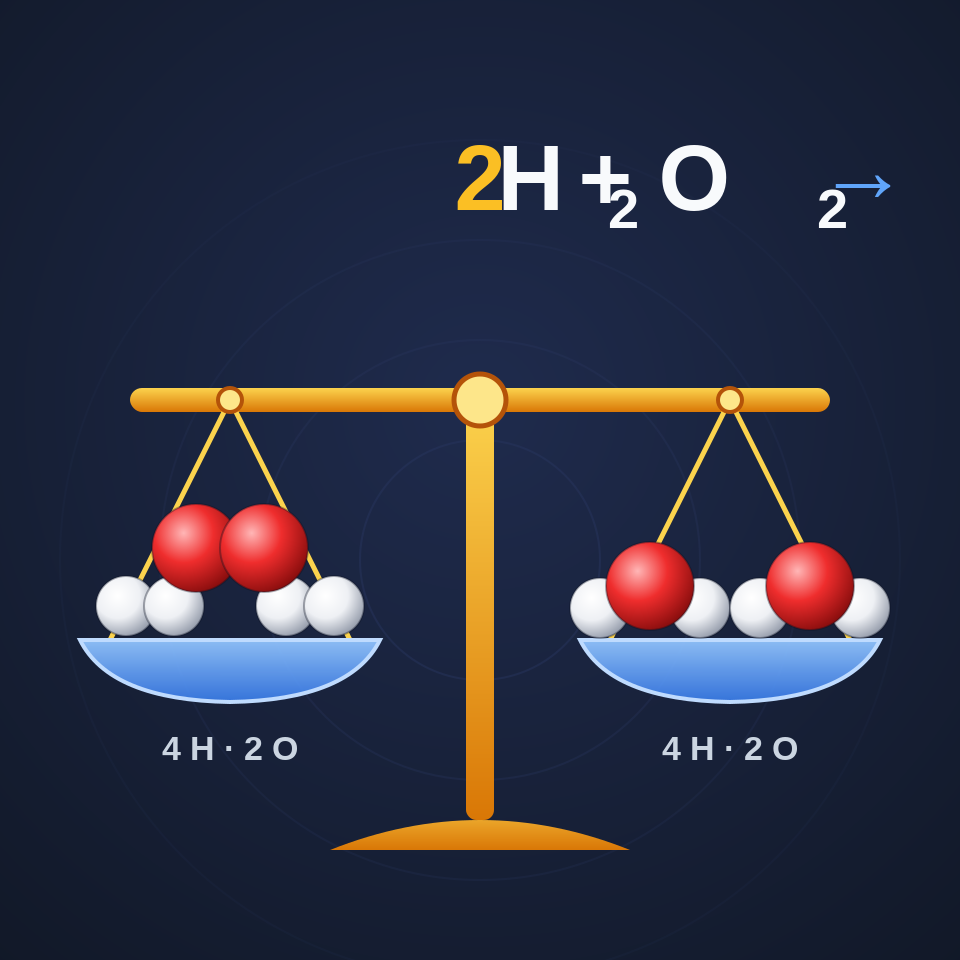
Balance any chemical equation instantly and exactly, ions, hydrates and redox reactions included. Count the atoms on both sides, see the oxidation numbers that change, and work out molar masses, the limiting reactant and the yield.
Interactive periodic table
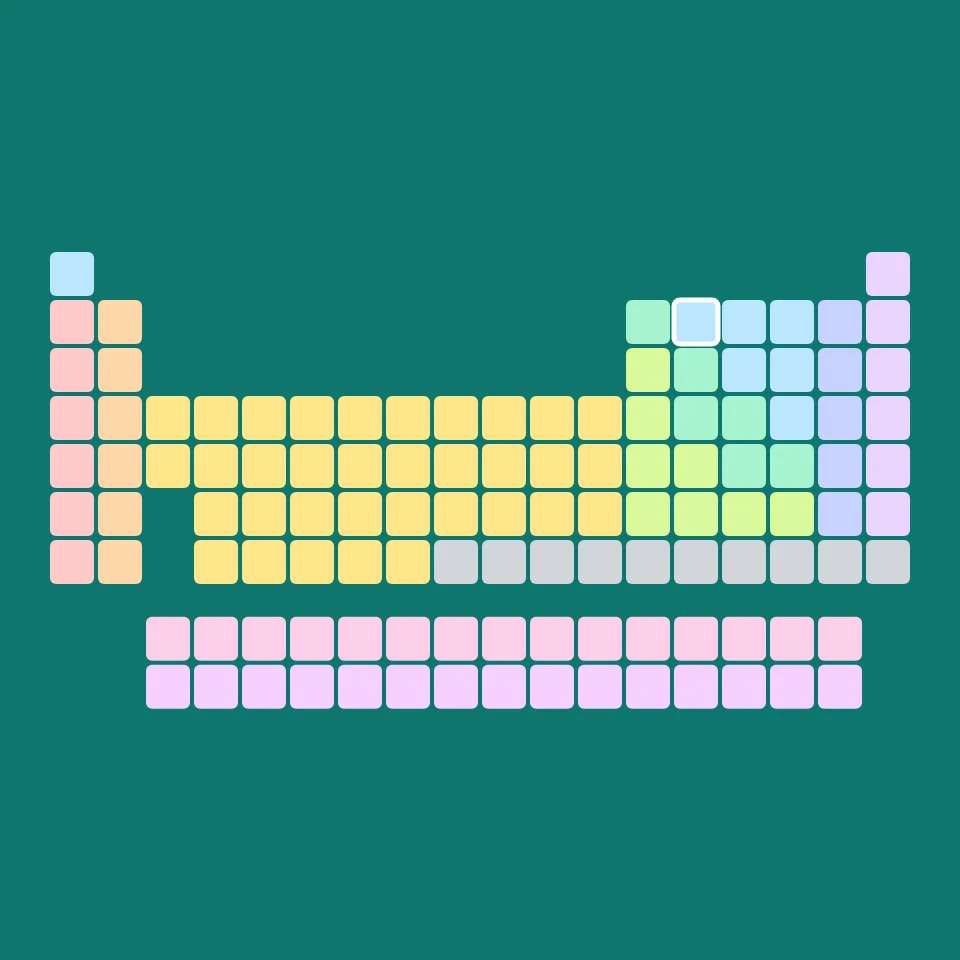
An interactive periodic table of all 118 elements: color it by category, block, state or electronegativity, and click an element for its atomic weight, electron configuration and shells.
Ready to try it?
Open PictorX in your browser — no install, no credit card required to start.
Go to Editor