
Non-destructive adjustments
Grade color like a pro without baking pixels. Add adjustment layers from Adjust—brightness and contrast, hue and saturation, levels, curves, vibrance, color balance, and more—and tweak them anytime. Stack multiple corrections, change blend modes, and dial opacity up or down. Turn an adjustment off to compare before and after, or delete it cleanly when you are done.
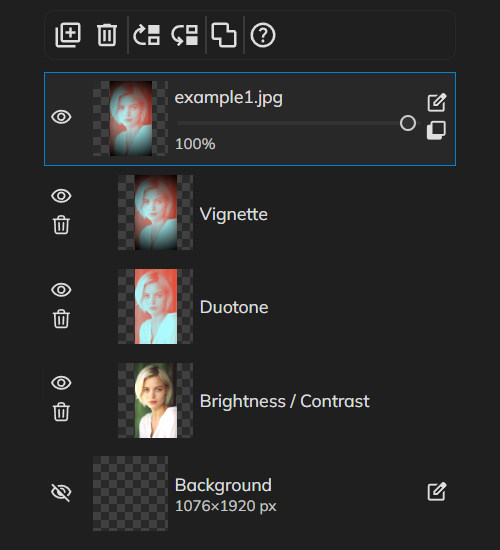
How it works
- Open PictorX in your browser and start a new project or load an image.
- Use Non-destructive adjustments to shape the result, then refine it with the surrounding editor tools.
- Keep editing, export your work, or turn the result into your next design.
How Non-destructive adjustments fits your workflow
Grade color like a pro without baking pixels. PictorX keeps the feature alongside your photos, layers, typography, and design tools, so you can move from an idea to a finished graphic without switching applications.
Create more with Non-destructive adjustments
Start with one focused change, review the result in context, and keep iterating. Combine Non-destructive adjustments with other PictorX tools when you need a polished image for social media, a presentation, a print layout, or a personal project.
Frequently asked questions
What does non-destructive mean here?
You can revisit and refine an adjustment instead of baking it in with no way back.
Can I turn an adjustment down later?
Yes. Keep the edit flexible while you improve exposure, color, or contrast.
How is that different from undo?
Undo steps backward. A non-destructive adjustment stays on the layer stack to edit again.
Do PNG exports keep the adjustment layer?
They flatten the visible result. Keep a project file if you still want to tweak it.
Related tools
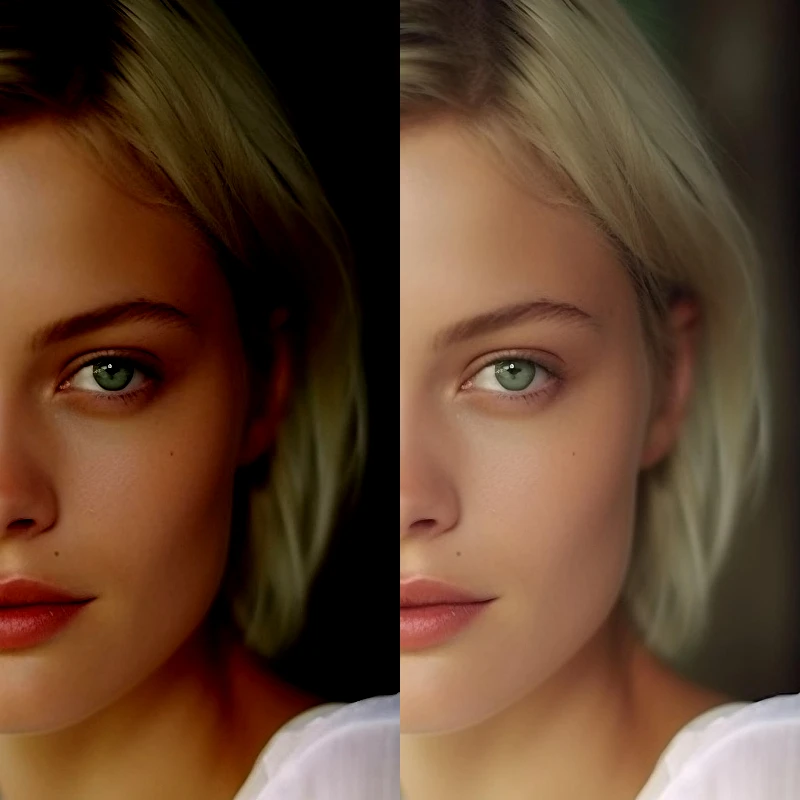
Adjust
Correct exposure and color from Image → Adjust. Use PictorX free in your browser with no software install required.
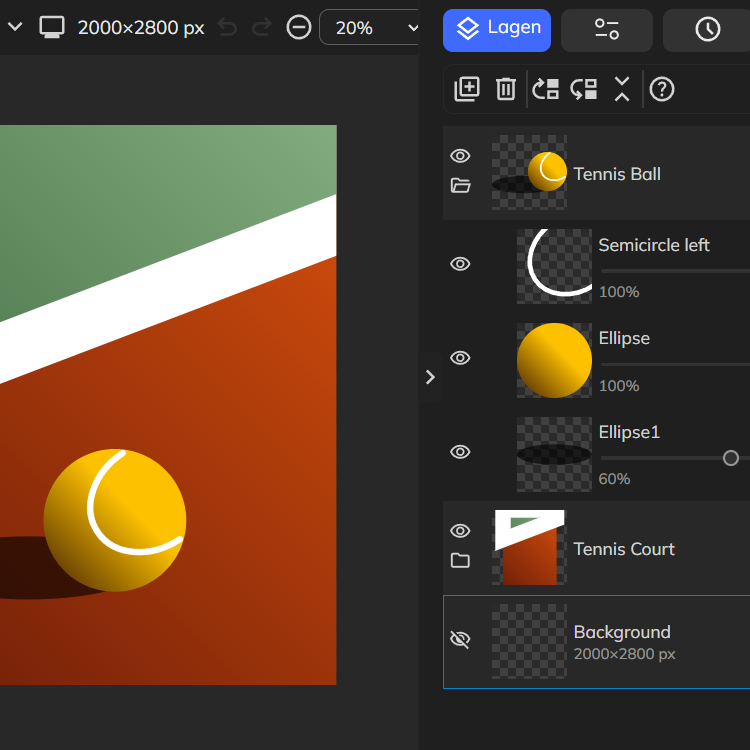
Layers & Blend Modes
Stack images, text, and shapes with full layer support. Use PictorX free in your browser with no software install required.
Infinite undo/redo
Experiment fearlessly—every brushstroke, filter, and layer change is recorded. Use PictorX free in your browser with no software install required.
Best practices for editing digital images
Non-destructive workflows, resolution, color, layers, export formats, and backups—practical best practices for editing digital images in PictorX.
Ready to try it?
Open PictorX in your browser — no install, no credit card required to start.
Try Non-destructive adjustments