
Infinite undo/redo
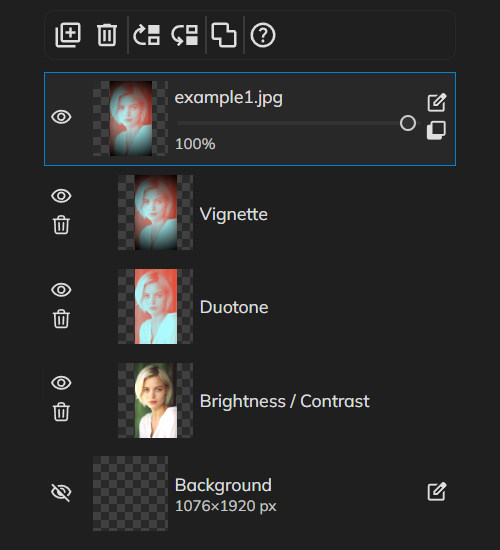
Experiment fearlessly—every brushstroke, filter, and layer change is recorded. Step backward with Edit → Undo (Ctrl+Z) or forward with Edit → Redo (Ctrl+Y), then open the History panel to browse a visual timeline of your session and jump straight to any earlier state. Perfect for comparing versions, recovering from mistakes, and exploring bold ideas without losing your place.

How it works
- Open PictorX in your browser and start a new project or load an image.
- Use Infinite undo/redo to shape the result, then refine it with the surrounding editor tools.
- Keep editing, export your work, or turn the result into your next design.
How Infinite undo/redo fits your workflow
Experiment fearlessly—every brushstroke, filter, and layer change is recorded. PictorX keeps the feature alongside your photos, layers, typography, and design tools, so you can move from an idea to a finished graphic without switching applications.
Create more with Infinite undo/redo
Start with one focused change, review the result in context, and keep iterating. Combine Infinite undo/redo with other PictorX tools when you need a polished image for social media, a presentation, a print layout, or a personal project.
Frequently asked questions
How far back can I undo?
PictorX keeps a deep undo/redo history so you can restore an earlier stage of the edit.
Can I redo if I undo too far?
Yes. Step forward again until you are back at the version you want.
Does exporting keep the undo stack?
PNG and JPEG flatten what you see. Keep a PictorX project if you still need history.
Is this the same as named versions?
It is an editor undo stack in the current session or project, not a separate cloud version list.
Related tools

Dual workspace editing
Pictorx adapts to the way you create. Use PictorX free in your browser with no software install required.
Non-destructive adjustments
Grade color like a pro without baking pixels. Use PictorX free in your browser with no software install required.

Zen canvas mode
Block out distractions and edit in pure focus. Use PictorX free in your browser with no software install required.
Ready to try it?
Open PictorX in your browser — no install, no credit card required to start.
Try Infinite undo/redo