
Pattern
Colors
Picture
Islamic Pattern Maker
Design Islamic and Arabesque patterns in your browser: the star and rosette tilings of the Alhambra, Persian girih and Moroccan zellige, or the classic star patterns built from lines that weave over and under each other. Change every color, then save a seamless pattern, an SVG or a coloring page. Pick an example or a construction: Alhambra tiles, or the star lines of a classic star pattern with interlaced or double bands. Set the tile size, the strapwork and the colors, then save a PNG or an SVG, or open the pattern in the editor with the tiles and the strapwork on layers of their own.
How it works
- Pick an example such as Alhambra stars, Turquoise rosettes, Hexagram lattice or Moroccan zellige, or choose Alhambra tiles or Star lines.
- Choose the pattern or the star family, the tile size and the strapwork, and for star lines the contact angle, interlace and double lines.
- Pick a palette or set the four colors, the strapwork and the ground, then save a PNG or SVG, or open the pattern in the PictorX editor with the tiles and the strapwork on layers of their own.
Tiles of the Alhambra, Isfahan and Fez
Thirteen classic tilings of Islamic art: eight-pointed stars and octagons, twelve-fold and girih rosettes, hex stars, hexagon columns, star bursts, interlaced carving, muqarnas, sebka, khatam seals, decagon rosettes and zellige rhombi. Color them flat, alternating, at random or in gradients, and finish them as glazed ceramic, carved stone or stained glass.
Star patterns from lines
Star lines builds patterns the way the craftsmen did: over a grid of hexagons, octagons or dodecagons, two lines leave the middle of every edge at the same angle and meet in the points of a star. Six-, eight- and twelve-fold stars and rosettes grow by themselves; the contact angle makes them slender or full, and the bands can weave over and under each other or run as double lines.
Colors, SVG and coloring pages
Choose from palettes after zellige, lapis and gold, Isfahan turquoise or carved sandstone, set each color yourself, or roll a classic scheme with Random colors. Every pattern repeats seamlessly; save it as a PNG, as an SVG for printing, laser cutting or fabric, or in black and white as a coloring page.
Frequently asked questions
Do I need Premium for the Islamic Pattern Maker?
You can try every pattern, example and color without it. Like Tessellation, the Islamic Pattern Maker is part of PictorX Premium: without a subscription the picture carries a light PictorX mark, and saving as SVG needs Premium.
What is the difference between Alhambra tiles and Star lines?
Alhambra tiles fills the picture with tiles cut in the shapes of stars, rosettes and polygons, as on the walls of the Alhambra. Star lines draws the lines of a star pattern over a grid of polygons, Hankin's method of polygons in contact, so the bands can interlace like carved strapwork.
What does the contact angle do?
It is the angle at which the two lines leave the middle of each edge. A small angle gives broad stars with short points, a large one slender stars with long points. Every star family starts at the angle that suits it.
Are the patterns seamless?
Yes. Every pattern repeats in every direction, so it works as a background, a wallpaper, gift wrap or fabric. Save an SVG to print it at any size.
Can I keep editing the pattern?
Yes. The pencil opens it in the PictorX editor with the background, the tiles and the strapwork on layers of their own, so you can recolor the strapwork or hide it. In the editor, Apps ▸ Geometry ▸ Islamic Pattern Maker adds a pattern to any design.
Related tools
Tessellation maker
Cover the plane with regular and Archimedean tessellations. Tune scale, colours, and warp square edges Escher-style — then save a PNG.
Tessellation
What is a tessellation? How shapes tile the plane with no gaps or overlaps, the three regular tilings, all eight Archimedean tilings, and edge pairing.
Mandala Maker
Make a mandala online for free: rings of petals, leaves, hearts, dots and stars around a center, in colors, soft shading, gold lines, neon or as a coloring page. Edit every ring, draw with symmetry, save a PNG or SVG.
Art Deco Pattern Maker
Make Art Deco patterns online: gilded fans, sunbursts, rainbow arches, chevrons, ziggurats, diamonds and skyscrapers, as a seamless repeat or a poster in a stepped frame. Save a PNG or SVG.
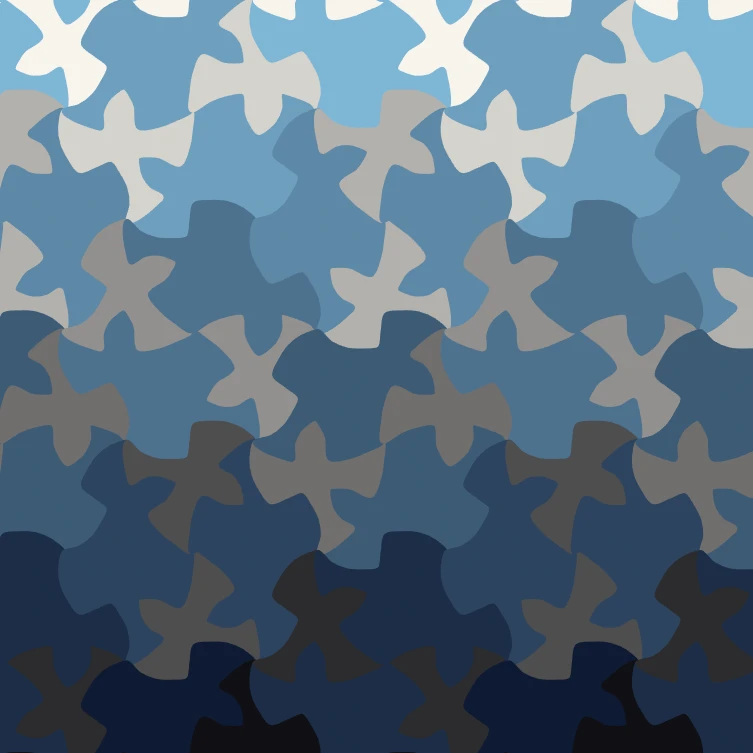
M.C. Escher tessellation maker
Make M.C. Escher-style tessellations online: interlocking lizards, birds, fish, Pegasus and more. Reshape the motif, recolour it and save PNG or SVG.
Ready to try it?
Open PictorX in your browser — no install, no credit card required to start.
Go to Editor