
Diffusion-limited aggregation simulator
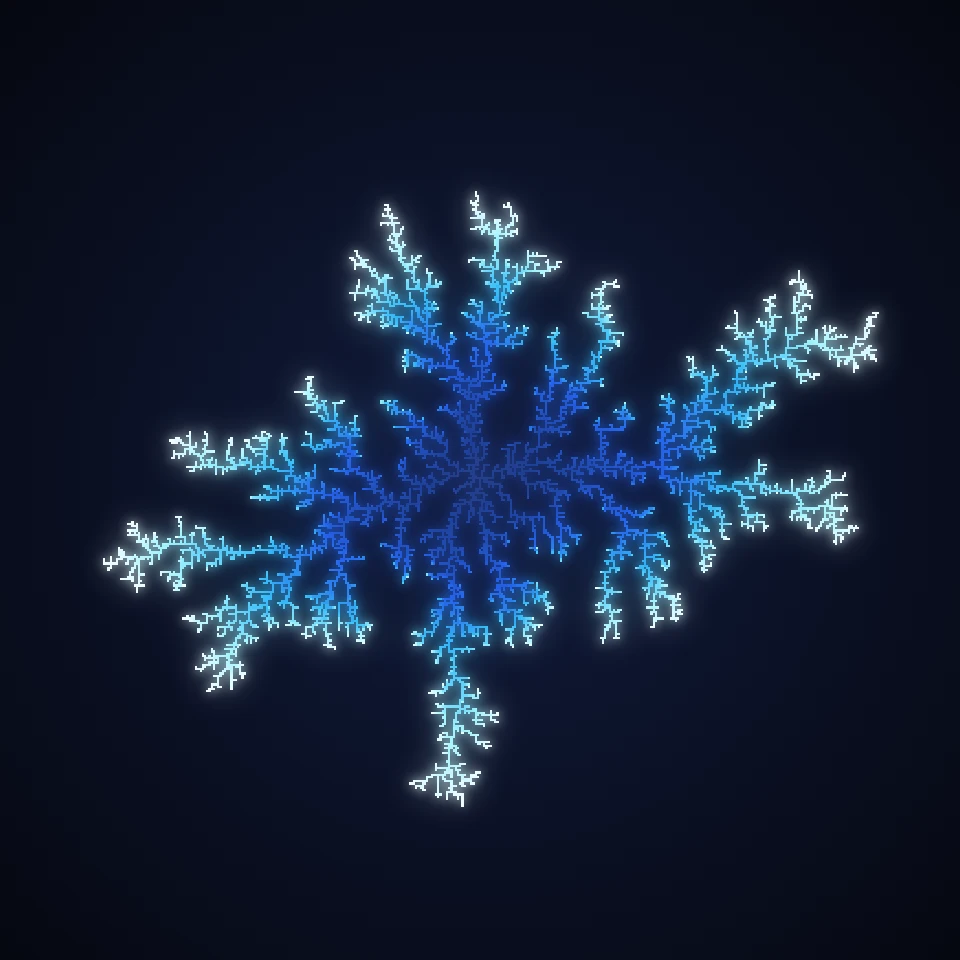
Release particles one after another and let each one wander at random until it touches the cluster, where it sticks for good. Out of that simple rule grows a tree of branches that split again and again, the same shape as frost on a window, a mineral dendrite, coral or a Lichtenberg figure. Watch it grow particle by particle with the walkers on their way, grow it from a point, from the ground or inwards from a ring, make the particles less sticky, and read the fractal dimension as the cluster grows. Particles wander about at random, one step at a time, until they touch the cluster, and there they stick. Press Grow to watch the cluster grow particle by particle, Skip to see it finished at once, and New run for another cluster from the same settings. Grow it from a point, from the ground like frost on a window, or inwards from a ring. Lower Stickiness to let particles bounce off a few times before they stick, which makes the branches thicker, and choose whether they stick to side neighbours only or also to corner neighbours. The colours run from the first particle to the last. Moving Particles back shows the cluster as it was earlier. The tiles give the particles, the size of the cluster, its fractal dimension and the number of random steps it took.
How it works
- Press Grow to watch the cluster grow particle by particle, with the random walkers wandering in, or Skip to see it finished at once.
- Choose the seed: a point in the middle, the ground, which grows a forest like frost on a window, or a ring that grows inwards.
- Lower Stickiness for thicker branches, let particles stick to 8 neighbours instead of 4, and press New run for another cluster.
- Read the particles, the size, the fractal dimension and the random steps in the tiles; move Particles back to see the cluster as it was earlier.
Wander, touch, stick
Each particle starts outside the cluster and takes random steps, left, right, up or down, like a speck of dust drifting in water. The moment it lands next to the cluster it sticks, and the next particle sets off. Thomas Witten and Leonard Sander described this model in 1981. Nothing in the rule mentions branches, yet a few hundred particles are enough to see them, and after thousands the cluster is a delicate tree with branches on every scale.
Why it branches
A wandering particle almost always touches a tip before it can find its way into the gap between two branches. So the tips catch most of the particles, grow fastest and stick out even further, while the gaps are screened off and stay nearly empty. Every small bump is amplified into a new branch. With the ground as the seed you see the same competition between trees: the tallest ones take nearly everything and the short ones stop growing.
A fractal dimension of 1.71
Double the size of the cluster and it holds about 3.3 times as many particles, not 4 as a filled disc would: the number of particles grows like the size to the power 1.71, the cluster's fractal dimension. The simulator measures it from the radius of gyration as a cluster grows from a point, and by box counting for the ground and the ring. A finite cluster usually measures a little below 1.71. Lower the stickiness and the branches grow thicker, but at large scales the cluster still branches.
Frequently asked questions
What is diffusion-limited aggregation?
A model of growth in which particles wander by random walk until they touch a cluster, and then stick to it for good. Thomas Witten and Leonard Sander introduced it in 1981. The cluster it grows, often called a Brownian tree, is a branching fractal with a dimension of about 1.71.
Why does the cluster grow branches instead of a round blob?
Because random walkers almost always meet a tip before they can reach the gaps between the branches. The tips catch most particles, grow fastest and stick out further, which makes them catch even more. The gaps are screened off and stay nearly empty, so every small bump becomes a new branch.
Where do you see diffusion-limited aggregation in nature?
In metal deposited from a solution by electrolysis, black manganese dendrites on rock that look like fossil ferns, frost on a window, mineral veins, bacterial colonies, coral in still water, viscous fingers of air pushed into a thick fluid, and the Lichtenberg figures an electric discharge burns into wood. Lightning branches in a related way.
How is the fractal dimension measured?
For a cluster grown from a point, the simulator follows the radius of gyration, the root mean square distance of the particles from the seed, as particles arrive; the number of particles grows like that radius to the power D. For the ground and the ring it counts the boxes the cluster touches at several box sizes. A cluster of a few thousand particles comes out a little below the 1.71 of an endless one.
Why does the same run always grow the same cluster?
The random steps come from a seeded random number generator, so a run with the same settings repeats exactly, whether it grows particle by particle or all at once. New run picks another seed and grows a different cluster from the same settings.
Can I use the cluster in a design?
Yes. Save gives a PNG at the size you choose, and the pencil opens the picture in the PictorX photo editor with the background, the glow, the seed and the cluster on layers of their own, so you can recolour the glow or move the cluster. In the editor itself it is under Apps ▸ Fractals ▸ Diffusion-Limited Aggregation. Everything runs in your browser.
Diffusion-Limited Aggregation: how do I record a video?
Press the red Record button in the playback bar: it films what the stage shows. Press it again to stop, and the video is saved to your device. Recording is free; you only need to sign in. Without a subscription the video carries a small PictorX logo in a corner. The button beside Record opens the video options: the shape (as shown, square, story 9:16 or wide 16:9), the length (until you stop, or 5, 10, 15 or 30 seconds for social media) and the file: MP4, WebM or an animated GIF. You can add one of three music tracks: calm, bright or beat.
Related tools
Diffusion-limited aggregation explained
How diffusion-limited aggregation grows a branching fractal from particles that wander at random and stick, why the tips win and the fjords stay empty, why its dimension is about 1.71, and where it appears in frost, lightning, coral and minerals.
Sandpile Fractal
Drop up to a million grains of sand on one cell and watch them topple into a fractal. Square, diagonal and triangular lattices, the identity of the sandpile group, and avalanches.
Barnsley Fern
Grow the Barnsley Fern in your browser. Watch the chaos game, zoom into any leaflet, and compare the black spleenwort with mutant varieties.
Random walk
Simulate up to 5,000 random walkers taking steps left, right, up or down and see how far they end up from the start. Compare the mean distance, the variance and the √N rule with theory, watch the Rayleigh curve form and count the walkers that come home.
Percolation
Fill a grid at random and find from which share of filled cells a path joins the top to the bottom. Watch water flow through the clusters, see this grid's exact threshold and the chance curve from 200 grids against the theory's 59.27%.
Fractals
What is a fractal? How the Mandelbrot set, Julia sets, Newton fractals (including Newton⁴) and Nova fractals are made, and why zooming never runs out of detail.
Ready to try it?
Open PictorX in your browser — no install, no credit card required to start.
Go to Editor