
Slot Machine - spin the reels and line them up
Choose how many lines to play and what to bet on each, then pull the virtual lever. The reels stop one after another, and three or more matching symbols from the left on an active line pay. Wilds fill the gaps, and three stars anywhere start ten free spins in which every win counts double. Choose how many lines to play and the bet per line with the arrows, then press Spin, tap the reels or press Space. Press Spin again to stop the reels at once. Auto keeps spinning until you press Stop. Keys: Space or Enter spins, the left and right arrows change the lines, up and down the bet, M is Max bet, P the paytable and A Auto.
How it works
- Pick the number of lines (1 to 20) and the bet per line with the arrows under the reels; the total bet is lines times bet.
- Press Spin, tap the reels or press Space. Press Spin again to stop the reels at once, or Auto to keep spinning.
- Three or more matching symbols from the left reel on an active line pay, times the bet per line. Paytable shows what each symbol pays at your bet.
Paylines, wilds and stars
The machine has 20 paylines: the three rows, two V shapes, zigzags and more. Each line you play pays on its own, from the leftmost reel to the right, and only its highest win counts. The numbered badges at the sides show where each line starts and ends, and hovering over one draws its path. The gold wild stands in for every symbol except the star, and five wilds on a line pay the most of all: 1000 times the bet per line. Stars pay wherever they land, times the total bet.
Free spins
Three, four or five stars anywhere on the reels pay 2, 10 or 50 times your total bet and start ten free spins. They play by themselves at the lines and bet you had, cost nothing, and every win in them is doubled. Stars during the free spins add ten more. The marquee keeps count of the spins and of what they have won so far.
How much does it pay back?
Every reel has a fixed strip of 32 or 33 symbols and stops at random, drawn with your browser's cryptographic random number generator. From those strips and the pay table the long-run return works out at about 95.7%: for every 1000 credits staked, about 957 come back over time, while single sessions swing far above and below that. Free spins start about once in 150 spins. You play with 1000 free credits, kept in your browser between visits, and Reset credits gives you 1000 again.
Frequently asked questions
Do I play for real money?
No. The slot machine is free and uses play credits only. You start with 1000 credits, they are kept in your browser between visits, and Reset credits gives you 1000 again whenever you like.
How do paylines work?
A payline is a path across the five reels, one symbol per reel. Three or more matching symbols on an active line, starting from the leftmost reel, win that symbol's pay times the bet per line. Playing more lines costs more per spin but gives more ways to win; the badges at the sides of the reels show the lines, and hovering over one draws it.
What do the wild and the star do?
The wild stands in for any symbol except the star, so it can complete a line, and a line of wilds pays the most. The star pays wherever it lands: three, four or five stars pay 2, 10 or 50 times the total bet and start ten free spins with every win doubled.
Are the spins really random?
Yes. Each reel stops at a position drawn with your browser's cryptographic random number generator, and earlier spins never change the next one. A machine is never due to pay: a long run without a win makes the next spin no more likely to win.
Can I play with the keyboard?
Yes. Space or Enter spins (and stops the reels), the left and right arrows change the number of lines, the up and down arrows the bet per line, M sets the maximum bet, P opens the paytable and A starts or stops Auto.
Slot Machine: how do I record a video?
Press the red Record button in the playback bar: it films what the stage shows. Press it again to stop, and the video is saved to your device. Recording is free; you only need to sign in. Without a subscription the video carries a small PictorX logo in a corner. The button beside Record opens the video options: the shape (as shown, square, story 9:16 or wide 16:9), the length (until you stop, or 5, 10, 15 or 30 seconds for social media) and the file: MP4, WebM or an animated GIF. For the sound, choose the app's own sounds or one of three music tracks: calm, bright or beat.
Related tools
About slot machines - history, reels and odds
How the slot machine grew from a three-reel bell machine into the video slot, why the symbols are fruit and bars, how reels, paylines, wilds and scatters work, what return to player means, and why a machine is never due.
Roulette
Play roulette free in your browser: bet on numbers, splits, corners, streets, dozens, columns or red and black, and spin a European, French or American wheel. Play chips only, kept between visits.
Blackjack
Play blackjack free in your browser: bet with chips, hit, stand, double, split and take insurance against the dealer. Choose 1 to 8 decks, 3:2 or 6:5 and the soft 17 rule, and let Hint show the basic-strategy play.
Higher or Lower
Play Higher or Lower online: guess whether the next playing card is higher or lower, build the longest streak, and see the odds from the cards left in the deck. Aces high or low.
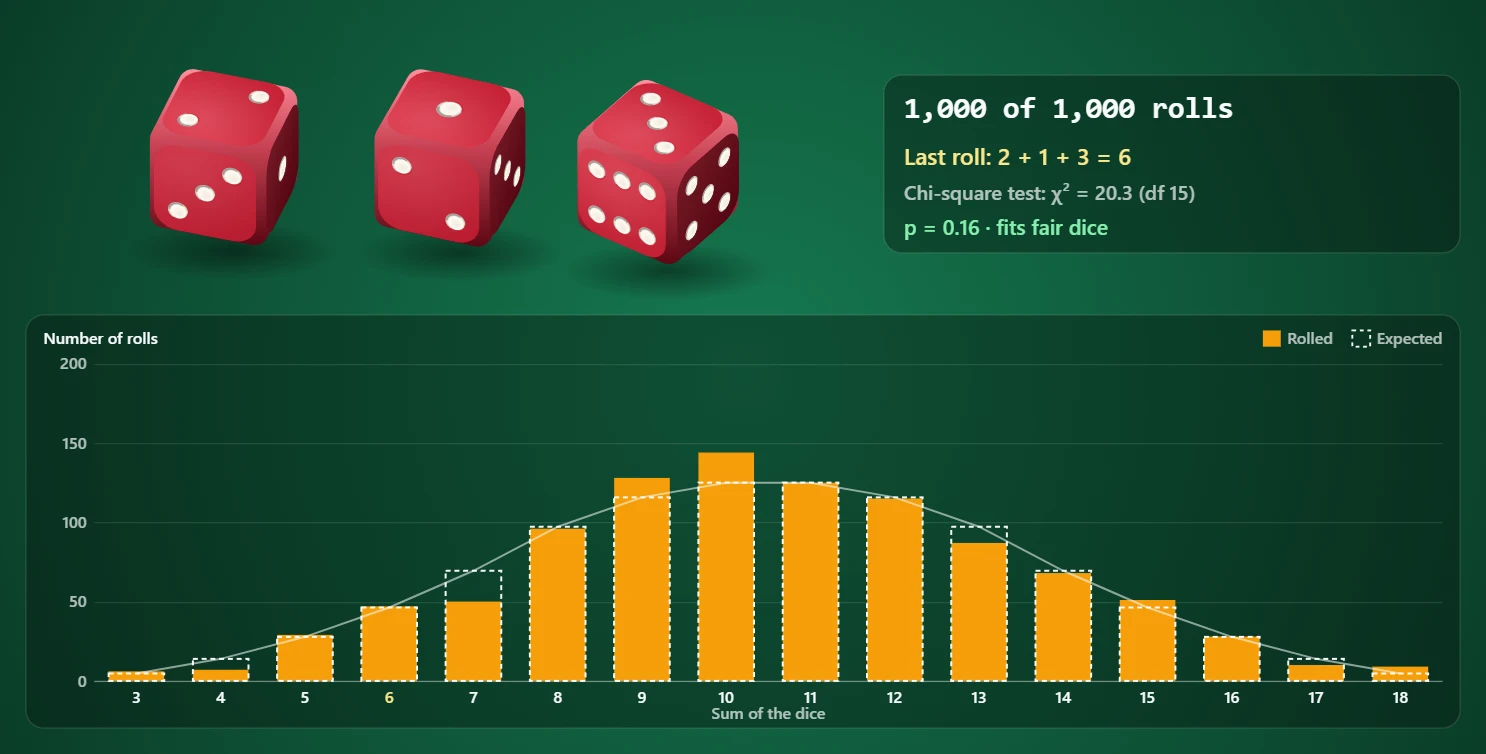
Rolling dice
Roll one, two or three dice a thousand times and compare the bar chart of how often each result came up with the expected frequencies. See why 7 is the most common sum.
Ready to try it?
Open PictorX in your browser — no install, no credit card required to start.
Go to Editor