
Pythagoras tree generator
Draw a square, put a right triangle on top of it and a square on each of the triangle's two short sides. Do the same on those two squares, and on the four after them, and a tree grows out of the theorem of Pythagoras. Grow it level by level up to 65,535 squares, drag the tip of the first triangle to lean it, and watch the branches curl into spirals. Every level has exactly the area of the trunk, because a² + b² = c². Put a right triangle on top of a square and a square on each of its two short sides, then do the same on every new square: a tree grows. Press Play to grow it level by level from the trunk, or Step to add one level. Drag on the picture to move the tip of the first triangle, or set the angle with the slider or a triangle such as 3-4-5. Let the triangles lean left and right in turn, choose the colours and the style, and show the triangles between the squares. Or choose the H-tree, which crosses the end of every bar with a new bar 1/√2 as long. The tiles give the number of squares, their total area, the sides of the triangle and the size of the tree.
How it works
- Press Play to grow the tree from the trunk, one level at a time, or Step to add a single level; drag Depth to jump to any depth up to 15.
- Drag on the picture to move the tip of the first triangle, or set the angle with the slider or a triangle such as 3-4-5 or 45-45-90.
- Let the triangles lean left and right in turn, pick the colours and the style, and show the triangles between the squares, or switch the tree to the H-tree.
- Read the number of squares, their total area, the triangle's sides and the size of the tree in the tiles, then save the picture or open it in the editor in layers.
A tree out of a theorem
Draw squares on the three sides of a right triangle and the two small squares together have exactly the area of the large one: a² + b² = c², the theorem of Pythagoras. The tree stands that figure on its large square and repeats it on every small square. Level 1 has two squares, level 2 has four, and level n has 2ⁿ, so a tree of depth n has 2ⁿ⁺¹ − 1 squares. Each level has the area of the trunk, so the Total area tile grows by one trunk per level.
The angle leans the tree
The angle at the left corner of each triangle decides how the area is shared: the left square gets cos² of it and the right square sin². At 45° both get half and the tree is symmetric; it never grows beyond a box 6 trunks wide and 4 high, although the sum of its squares keeps growing, so the leaves overlap more and more. Any other angle makes the tree lean, and the outermost branches curl into logarithmic spirals. The 3-4-5 triangle, at 36.87°, gives squares in the ratio 16 : 9 of area.
Lean left and right in turn
In the classic tree every triangle leans the same way. Let them lean left and right in turn, with the angle and its complement on alternate levels, and the spirals unwind: the tree grows up into a jagged, pointed crown, more like a fir than an oak. Show the triangles to see the right angles the tree is built on, and choose the outlines to see the squares that overlap.
The H-tree
The H-tree is a tree of bars instead of squares. Start with one bar, then cross each of its two ends with a new bar, 1/√2 as long and centred on that end: the first three bars form a letter H. Repeat at every free end. Each level is √2 times as long in total as the one before, the bars never cross, and the tree fills a rectangle whose sides are in the ratio √2 : 1, the shape of a sheet of A4 paper, so its fractal dimension is 2. Chip designers use the same pattern to carry a clock signal to every part of a chip over wires of equal length.
Frequently asked questions
What is a Pythagoras tree?
A fractal made of squares. It starts with one square, puts a right triangle on its top edge and a square on each of the triangle's two short sides, and then repeats that on every new square. The Dutch mathematics teacher Albert Bosman drew it in 1942. It is named after the theorem of Pythagoras, whose classic figure, a right triangle with a square on each side, is the tree's building block.
Why does every level have the same area?
Because of the theorem of Pythagoras. The two squares on a right triangle's short sides together have the area of the square on its long side, a² + b² = c². So the two squares that grow out of a square have its area between them, every level adds up to the trunk, and a tree of depth n has n + 1 times the trunk's area in squares. The Total area tile shows that number.
How big does the symmetric Pythagoras tree get?
At an angle of 45° the finished tree fits in a box 6 trunks wide and 4 trunks high. Its squares add up to more and more area, one trunk per level, so from a few levels on the small squares must overlap. The Width × height tile shows the box of the tree you see, approaching 6 × 4 as the depth grows.
What does the angle do?
It is the angle at the left corner of every triangle. At 45° the two new squares are equal and the tree is symmetric. A smaller angle makes the left square larger and the right one smaller, so the tree leans and its branches curl into spirals; the 3-4-5 triangle, at 36.87°, gives sides in the ratio 4 : 3. Drag on the picture to move the tip of the first triangle and set the angle by hand.
What is the fractal dimension of the Pythagoras tree?
The tree is made of two smaller copies of itself, scaled by cos α and sin α. Its similarity dimension d solves cosᵈ α + sinᵈ α = 1, and by Pythagoras that is d = 2 for every angle: the tree fills an area, like a solid shape. Its outline, where the leaves meet the empty space, is a fractal line.
Pythagoras Tree: how do I record a video?
Press the red Record button in the playback bar: it films what the stage shows. Press it again to stop, and the video is saved to your device. Recording is free; you only need to sign in. Without a subscription the video carries a small PictorX logo in a corner. The button beside Record opens the video options: the shape (as shown, square, story 9:16 or wide 16:9), the length (until you stop, or 5, 10, 15 or 30 seconds for social media) and the file: MP4, WebM or an animated GIF. You can add one of three music tracks: calm, bright or beat.
Related tools

The Pythagoras tree explained
How the Pythagoras tree grows from squares and right triangles, why every level has the area of the trunk, why the symmetric tree fits in a 6 by 4 box, how the angle makes it curl into spirals, and why its dimension is 2.
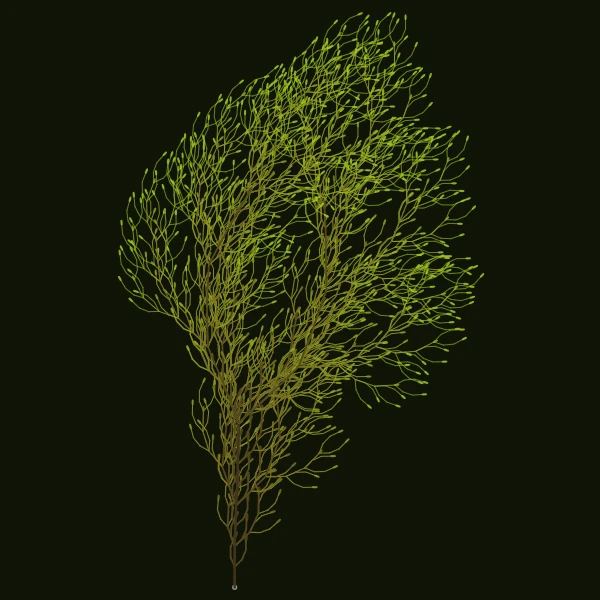
Nature Generator
Grow trees, ferns, coral, and ice crystals from L-system DNA. Pause, randomize, and save a PNG in your browser.

Barnsley Fern
Grow the Barnsley Fern in your browser. Watch the chaos game, zoom into any leaflet, and compare the black spleenwort with mutant varieties.

Dragon curve generator
Fold a strip of paper again and again and watch it unfold into the Heighway dragon. Grow it level by level, try the twin dragon, the terdragon and the Lévy C curve, and see a curve that fills an area without crossing itself.

Koch snowflake generator
Grow the Koch snowflake level by level and see its perimeter grow by 4/3 each time while the area settles at 8/5. Try the anti-snowflake, Cesàro angles, square bumps and the Minkowski sausage.

Fractal generator: zoom into Mandelbrot, Julia and Newton fractals
Free online fractal generator: zoom about 5 trillion times into the Mandelbrot set, Julia and Newton fractals, jump to 64 famous spots and save a PNG.
Ready to try it?
Open PictorX in your browser — no install, no credit card required to start.
Go to Editor