

试试下方的艺术效果,或打开您自己的图片。
剪纸效果
Open a photo and apply 剪纸效果 in PictorX. This look is part of 艺术效果—adjust the settings on this page, then keep editing with layers, text, and other effects in the same workspace. 试试下方的艺术效果,或打开您自己的图片。
它是如何运作的
- Open this page and try 剪纸效果 on the sample, or open your own photo.
- Tune the 剪纸效果 settings, or switch to another look in 艺术效果.
- Save the result, or keep editing with layers, text, and other effects in PictorX.
What the 剪纸效果 effect does
剪纸效果 is one of the looks in PictorX 艺术效果. Apply it in your browser, then keep working in the same project—crop, type, or add another effect without starting over.
More looks in 艺术效果
This page opens 艺术效果 with 剪纸效果 already selected. Switch looks on the demo to compare styles, or open the full 艺术效果 page to browse every option in the set.
Looks in this set
常见问题
如何用照片制作剪纸效果?
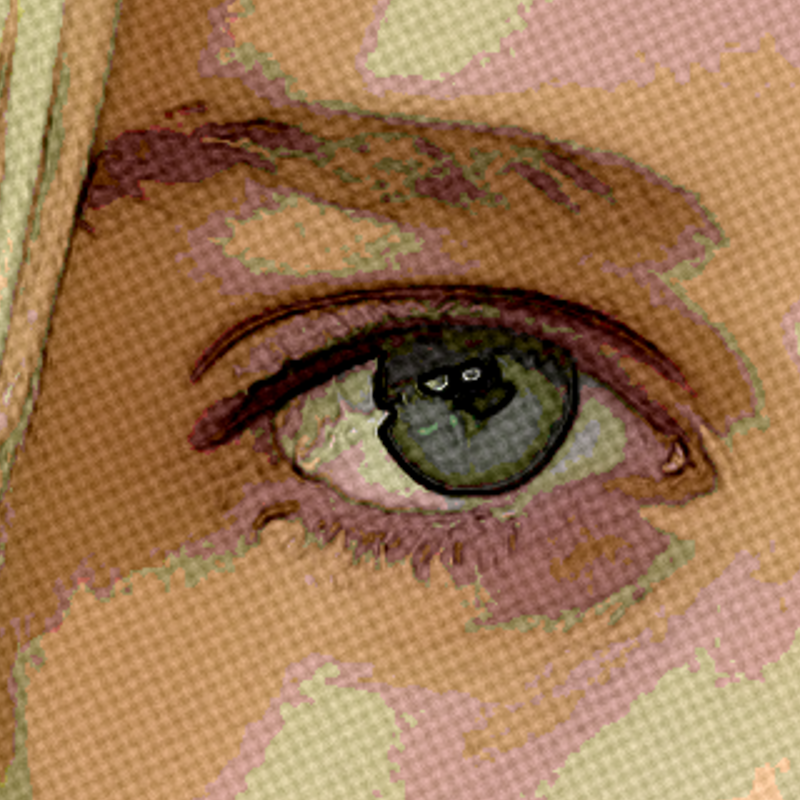
在本页打开你的照片,点击“属性”。照片会按亮度分成若干平面层,每一层都在下一层上投下小小的阴影,就像叠在一起的剪纸。点击“另存为图片”。
“层数”“阴影深度”和“边缘粗糙度”有什么作用?
“层数”(2–12)是纸张的层数:层数少时剪裁大胆简洁,层数多时保留更多细节。“阴影深度”设置阴影投射的距离,让纸张看起来更厚。“边缘粗糙度”给轮廓加上细小的不规则,让它们看起来像手工剪的,而不是机器切的。
哪些照片最适合剪纸效果?
明暗区域分明的照片,例如天空下的山丘、剪影、城市天际线,或光线均匀的人像。细节繁多的杂乱照片会变成许多小纸片,所以这类照片请使用较低的“层数”。
可以制作剪纸字母或文字吗?
这个效果用于照片。想把一个单词变成从纸张和杂志上剪下来的字母,请使用“杂志剪贴字母生成器”:输入文字,选择“Ransom Note”(勒索信)或“Retro Newsprint”(复古报纸)等风格,然后保存为 PNG。
剪纸效果和色调分离有什么不同?
两者都会把照片简化为几种平涂色调。“色调分离”只是把颜色压平,而“剪纸效果”还会给边缘加上明暗,并在每一层下面加上阴影,所以结果看起来是立体的,就像一层层粘在一起的纸。
相关工具
艺术效果
使用油画、水彩、铅笔、漫画墨线、蜡笔、剪纸和其他工作室艺术外观改造照片。
水彩效果
在线把照片变成水彩画。调整湿润度、颜色细节、边缘暗化和纸张纹理,得到柔和的晕染和深色的颜料边缘。
油画 effect
Apply a 油画 effect to photos free in your browser. Open the 艺术效果 tools, tune the look, and keep editing in PictorX. No install.
铅笔素描 effect
Apply a 铅笔素描 effect to photos free in your browser. Open the 艺术效果 tools, tune the look, and keep editing in PictorX. No install.
彩色铅笔 effect
Apply a 彩色铅笔 effect to photos free in your browser. Open the 艺术效果 tools, tune the look, and keep editing in PictorX. No install.
粗糙粉彩 effect
Apply a 粗糙粉彩 effect to photos free in your browser. Open the 艺术效果 tools, tune the look, and keep editing in PictorX. No install.
原住民点画 effect
Apply a 原住民点画 effect to photos free in your browser. Open the 艺术效果 tools, tune the look, and keep editing in PictorX. No install.

了解更多万花筒知识
万花筒如何运作?布儒斯特的发明及其希腊语名称、镜子如何形成图案、单元与远景万花筒,以及数字万花筒滤镜。
准备好尝试了吗?
在浏览器中打开 PictorX — 无需安装,无需信用卡即可启动。
前往编辑器