
Oh Hell
Oh Hell is the trick-taking game where you must take exactly as many tricks as you bid, no more and no less. The hands grow from 1 card to 10 and shrink again, a turned-up card names trump every hand, and the dealer may not let the bids add up, so someone always misses. You play against two to five computer players. In every hand each player bids exactly how many tricks they will take; choose a number and press Bid. Follow suit if you can; the highest trump, or else the highest card of the suit led, takes the trick. Only an exact bid scores: 10 points plus the bid. H gives a hint.
How it works
- When it is your turn to bid, choose how many tricks you will take, from 0 to the number of cards in your hand, and press Bid. As dealer you bid last and may not make the bids add up to the tricks.
- The player left of the dealer leads. Follow suit if you can; the highest trump, or else the highest card of the suit led, takes the trick, and its winner leads next.
- Take exactly the tricks you bid for 10 points plus the bid; a missed bid scores 0. After the last hand the highest total wins.
The rules
You play against two to five computer players. The first hand has 1 card each, the next 2, and so on up to 10 (8 with six players), then back down to 1; the deal moves to the left every hand. After the deal the next card of the pack is turned up and its suit is trump. Everyone bids once, starting left of the dealer. You must follow the suit that was led; if you cannot, you may trump or throw any card.
Scoring and the hook rule
A player who takes exactly the number of tricks they bid scores 10 points plus the bid; anyone else scores 0, or, with the other scoring, loses a point for every trick over or under. The dealer bids last and may not choose the number that makes the bids add up to the tricks in the hand, so the bids never fit and at least one player misses. The score table after each hand shows every bid, the tricks taken and the totals.
The computer players
The computers count their high cards and trumps against the size of the hand and the number of players, bid what they expect to take, then play to hit their bid exactly: they win tricks while they need them and duck once they have enough. A computer whose bid can no longer be made tries to spoil yours. Press Hint to see the bid or card the computer would choose in your place.
Frequently asked questions
How do I bid in Oh Hell?
When it is your turn to bid, the numbers from 0 to the number of cards in your hand appear on the table: choose how many tricks you think you will take and press Bid. Only an exact bid scores, so 0 is often a good bid with a weak hand. Hint shows the bid the computer would make with your cards.
What is the hook rule?
The dealer bids last and may not choose the number that would make all the bids add up to the number of tricks in the hand, so at least one player must miss. On the table that number is struck out. You can turn the rule off under Hook rule for the dealer.
How is Oh Hell scored?
A player who takes exactly as many tricks as they bid scores 10 points plus the bid, so a bid of 0 made is worth 10 and a bid of 3 made is worth 13. A missed bid scores nothing, or, if you choose, loses 1 point for every trick over or under. The table after each hand shows every bid, the tricks taken and the totals.
How many cards are dealt?
The hands go up the river and down again: 1 card each in the first hand, one more every hand up to 10 (8 with six players), then back down to 1. You can also play down only from the largest hand, or a shorter game from 1 to 7 and back. After the deal the next card is turned up, and its suit is trump for that hand.
How many players can play?
You play against two to five computer players, three to six players in all. With more players each card is less likely to win a trick, and the largest hand is smaller.
Oh Hell: how do I record a video?
Press the red Record button in the playback bar: it films what the stage shows. Press it again to stop, and the video is saved to your device. Recording is free; you only need to sign in. Without a subscription the video carries a small PictorX logo in a corner. The button beside Record opens the video options: the shape (as shown, square, story 9:16 or wide 16:9), the length (until you stop, or 5, 10, 15 or 30 seconds for social media) and the file: MP4, WebM or an animated GIF. For the sound, choose the app's own sounds or one of three music tracks: calm, bright or beat.
Related tools
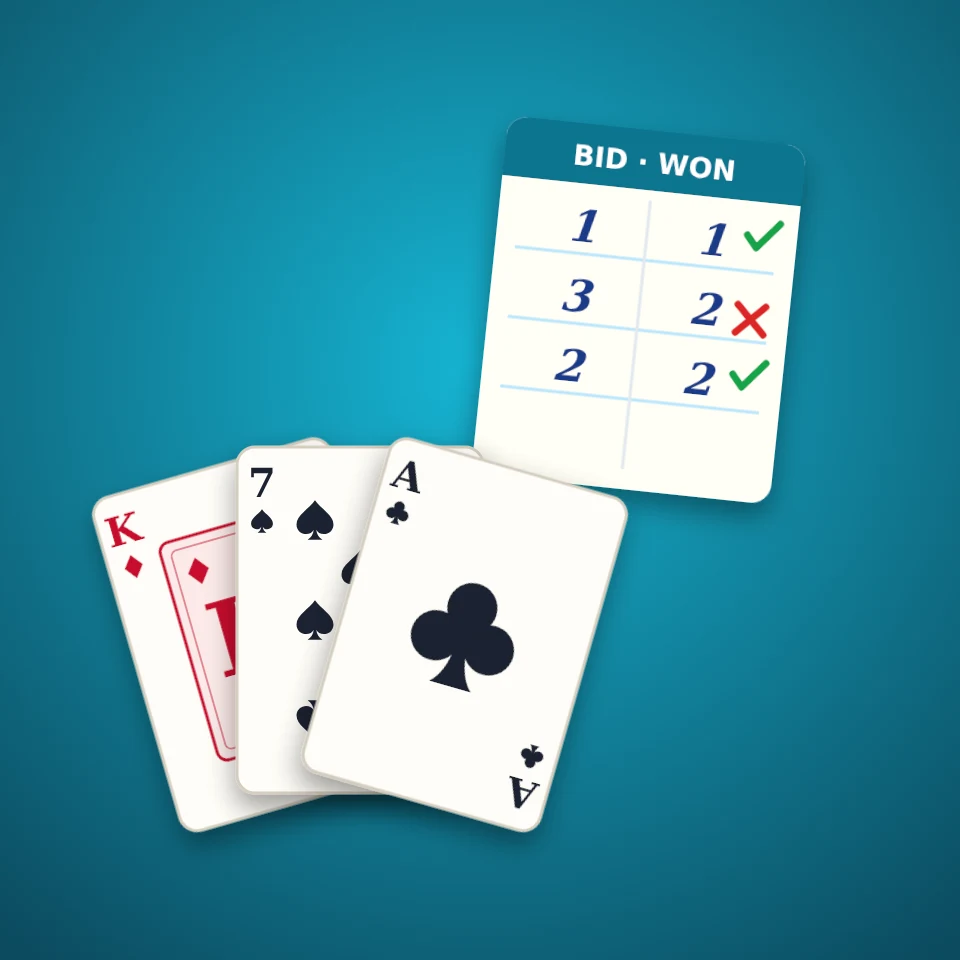
About Oh Hell - names, rules and strategy
What the card game Oh Hell is, its other names such as Oh Pshaw, Blackout, Up and Down the River and Boerenbridge, how a hand is dealt, bid and played, the hook rule, the usual ways of scoring and how to bid exactly.
Spades
Play Spades free in your browser with a computer partner against two computer players. Bid your tricks, spades are always trump, go Nil for 100 points and watch your bags.
Euchre
Play Euchre free in your browser with a computer partner against two computer players. Order up or name trump, use the right and left bowers, go alone and euchre the other side.
Hearts
Play Hearts free in your browser against three computer players. Pass three cards, follow suit, dodge the hearts and the queen of spades, or take them all and shoot the moon.
President
Play President free in your browser against two, three or four computer players. Beat the pile with higher singles, pairs or triples, pass when you cannot, and go out first to become President. Card exchange, standings over 5 or 10 hands.
Ready to try it?
Open PictorX in your browser — no install, no credit card required to start.
Go to Editor