
Design templates
Jump-start any project with hundreds of ready-made layouts: artistic compositions, text and poem designs, tables, charts, infographics, illustrations, presentation slides, and more. Open a template, customize every layer, and publish in minutes.

How it works
- Open PictorX in your browser and start a new project or load an image.
- Use Design templates to shape the result, then refine it with the surrounding editor tools.
- Keep editing, export your work, or turn the result into your next design.
How Design templates fits your workflow
Jump-start any project with hundreds of ready-made layouts: artistic compositions, text and poem designs, tables, charts, infographics, illustrations, presentation slides, and more. PictorX keeps the feature alongside your photos, layers, typography, and design tools, so you can move from an idea to a finished graphic without switching applications.
Create more with Design templates
Start with one focused change, review the result in context, and keep iterating. Combine Design templates with other PictorX tools when you need a polished image for social media, a presentation, a print layout, or a personal project.
Frequently asked questions
Can I change the photos and text in a template?
Yes. Open it in the editor and replace images, headlines, and colors.
Are all templates free?
Many are free to open and edit. Premium templates are marked when they apply.
What kinds of templates are there?
Flyers, posters, logos, resumes, presentations, and social posts.
Can I reuse a layout I already customized?
Yes. Keep an editable PictorX file and duplicate it for the next campaign.
Related tools
Multiple pages
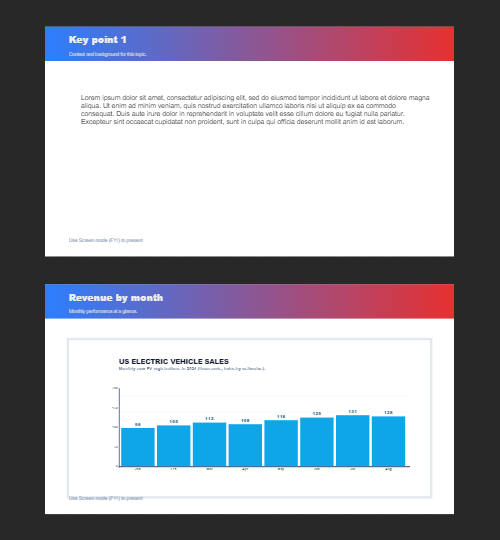
Build multi-page documents in Document mode—ideal for presentations, brochures, and multi-screen layouts. Use PictorX free in your browser with no software install required.

Text & Typography tool
Rich text styling with fonts, fills, gradients, strokes, shadows, 3D effects, contours, and decoration. Use the free PictorX online editor in your browser.

Build a deck with the presentation wizard
Build a deck with PictorX’s step-by-step presentation wizard, then edit every slide in the same browser workspace.
Ready to try it?
Open PictorX in your browser — no install, no credit card required to start.
Try Design templates