
Open, edit and save SVG files
Open an SVG in Pictorx and it is converted into editable layers. Adjust each layer separately—shapes, text, and vector parts—then save a clean SVG again from File → Save → Save as SVG. Ideal for logos, icons, and web graphics that need to scale without losing quality.

How it works
- Open PictorX in your browser and start a new project or load an image.
- Use Open, edit and save SVG files to shape the result, then refine it with the surrounding editor tools.
- Keep editing, export your work, or turn the result into your next design.
How Open, edit and save SVG files fits your workflow
Open an SVG in Pictorx and it is converted into editable layers. PictorX keeps the feature alongside your photos, layers, typography, and design tools, so you can move from an idea to a finished graphic without switching applications.
Create more with Open, edit and save SVG files
Start with one focused change, review the result in context, and keep iterating. Combine Open, edit and save SVG files with other PictorX tools when you need a polished image for social media, a presentation, a print layout, or a personal project.
Frequently asked questions
What happens when I open an SVG?
It becomes editable layers you can adjust separately.
Can I save my edits back to SVG?
Yes. Export a clean, scalable SVG after you change shapes, type, or color.
Do photos inside an SVG stay vectors?
No. Embedded rasters stay pixels; shapes and type stay sharp at any size.
When is SVG better than PNG?
Logos and icons that must stay crisp on a website, in print, or at many sizes.
Related tools

Shapes & Vectors tool
Add geometric shapes and styled lines to your canvas. Use the free PictorX online editor in your browser.
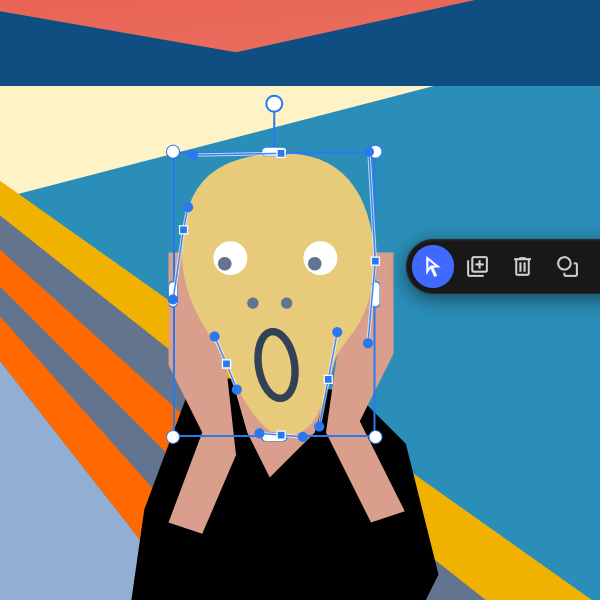
Paths, points & curves
Reshape shape and line paths at the anchor level. Use PictorX free in your browser with no software install required.
Raster vs vector images
Raster (bitmap) vs vector graphics: pixels, DPI/PPI, JPEG/PNG/WebP vs SVG/PDF/AI/EPS, scaling, file size, and when to use each in PictorX.
Free online logo maker
Design a simple logo free online with PictorX. Combine shapes, text, and icons—then export PNG for your brand.

Image file formats
JPG vs PNG vs WebP: compression, quality, transparency, browser support, and when to use each format for web and print in PictorX.
Ready to try it?
Open PictorX in your browser — no install, no credit card required to start.
Try Open, edit and save SVG files