
A free Adobe Express alternative
Adobe Express is a capable quick-design app. PictorX is a strong alternative when you want deeper photo editing, on-device AI, layers, and templates without another creative-cloud install.
How it works
- Open PictorX in your browser.
- Edit a photo or start from a template.
- Export your design—no Express subscription required to start.
Where PictorX differs
PictorX emphasizes photo tools (object removal, background removal, repair, uncrop) alongside design templates. If your day-to-day work mixes retouching with social or print layouts, one browser workspace can replace bouncing between light editors.
Templates and UI components
Use flyer, poster, presentation, and resume templates for marketing work, and explore the PictorX Designer when you need web UI components and charts.
Privacy-minded AI editing
Supported on-device AI flows keep experimentation local. That is useful for client drafts and personal photos you prefer not to upload casually.
Frequently asked questions
Can I bring assets from Express?
Export images from Express, then open them in PictorX to continue editing.
Does PictorX have layers?
Yes. Layers, photo AI, and a full undo history sit next to templates—useful when you mix retouching with social or print layouts.
Do I need an Adobe account?
No. Open PictorX in your browser and start editing without a Creative Cloud or Express login.
Can I use PictorX for templates and photo editing?
Yes. That mix is the point: retouch a photo, then finish a flyer, presentation, or social post in the same workspace.
Related tools
A free Canva alternative for photo editing & design
Looking for a Canva alternative? PictorX is a free online photo editor and design studio with AI tools, layers, and templates in your browser.
Free presentation maker
Create presentation slides free online with PictorX. Pitch decks, dashboards, and visual slides you can edit in the browser.
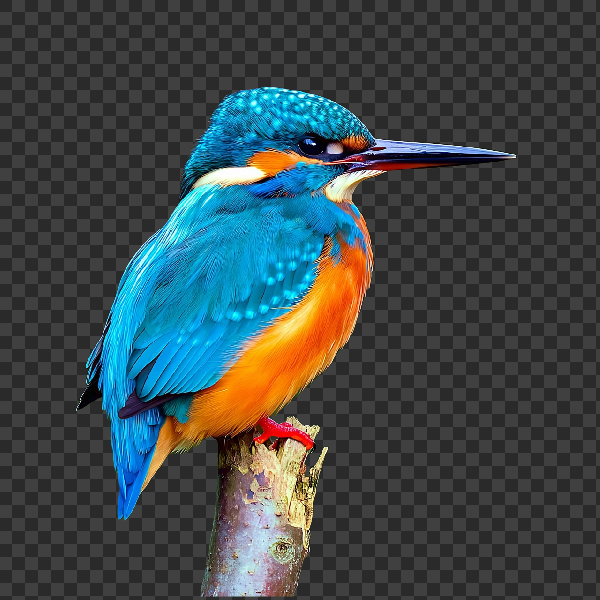
Free AI background remover
Remove image backgrounds free in your browser with PictorX. On-device AI, no upload to our servers, no credit card. Clean transparent PNGs in seconds.
Ready to try it?
Open PictorX in your browser — no install, no credit card required to start.
Try PictorX free