

试试下方的扭曲效果,或打开你自己的图片。
旋转扭曲效果
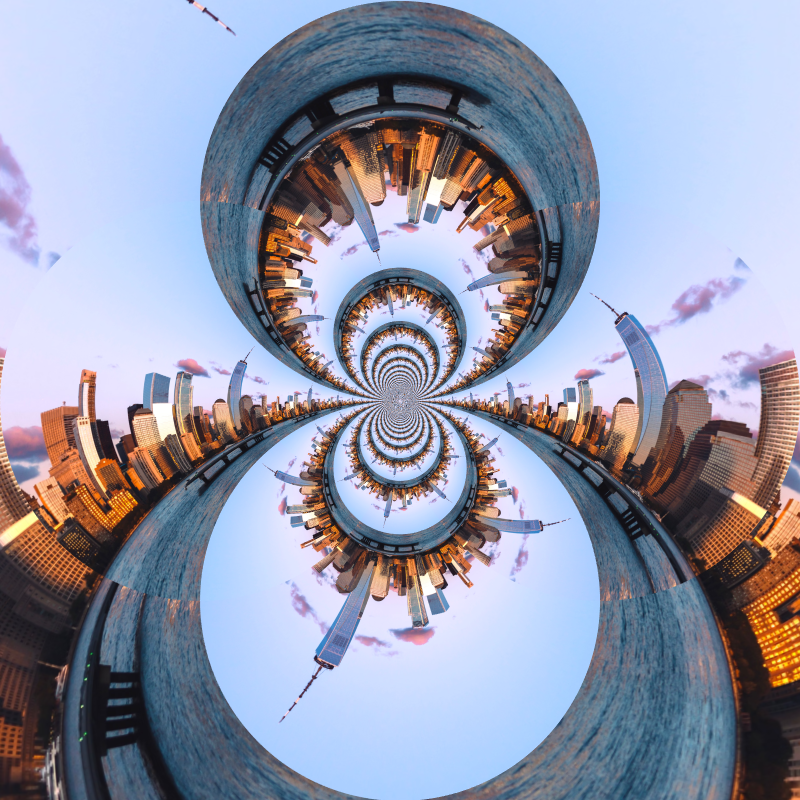
Open a photo and apply 旋转扭曲 in PictorX. This look is part of 液态镜头游乐场—adjust the settings on this page, then keep editing with layers, text, and other effects in the same workspace. 试试下方的扭曲效果,或打开你自己的图片。
它是如何运作的
- Open this page and try 旋转扭曲 on the sample, or open your own photo.
- Tune the 旋转扭曲 settings, or switch to another look in 液态镜头游乐场.
- Save the result, or keep editing with layers, text, and other effects in PictorX.
What the 旋转扭曲 effect does
旋转扭曲 is one of the looks in PictorX 液态镜头游乐场. Apply it in your browser, then keep working in the same project—crop, type, or add another effect without starting over.
More looks in 液态镜头游乐场
This page opens 液态镜头游乐场 with 旋转扭曲 already selected. Switch looks on the demo to compare styles, or open the full 液态镜头游乐场 page to browse every option in the set.
Looks in this set
常见问题
如何给照片添加旋转扭曲效果?
在本页打开你的照片,点击“属性”。设置“角度”:图像会绕中心旋转,中间最强,越靠近四角越弱,所以直线会弯成螺旋。点击“另存为图片”。
旋转扭曲的“角度”应该设为多少?
约 45–90° 会得到柔和的漩涡,主体仍可辨认。默认的 180° 会形成明显的螺旋,360° 会把中心扭成紧密的旋涡。负值会朝相反方向扭转。
“旋转扭曲”和“波纹”“球面化”有什么不同?
“旋转扭曲”让图像绕中心旋转。“波纹”沿着一圈圈环把图像推进推出,就像石子落入水中;“球面化”则像透镜一样让图像鼓起或收缩。三者都在同一组中,你可以在自己的照片上比较。
可以只扭转图像的一部分吗?
“旋转扭曲”总是绕画面中心旋转。想只扭转某一处,请点击“编辑”在编辑器中打开照片,使用“液化”的“旋转”模式,它只在你涂抹的地方扭转像素。
旋转扭曲效果可以用来做什么?
梦幻或催眠风格的海报、抽象背景和专辑封面。花朵、烟花、城市灯光以及线条强烈的图像能形成最醒目的螺旋。
相关工具
液态镜头游乐场
用极坐标、波纹、玻璃、球面化、时间扭曲、旋转扭曲、褶皱和弯曲扭曲照片。
极坐标效果
用极坐标效果把照片卷成圆形,或把圆形展开成长条。选择“Rect to Polar”(平面坐标到极坐标)或“Polar to Rect”,并设置起始角度。
极坐标反转 effect
Apply a 极坐标反转 effect to photos free in your browser. Open the 液态镜头游乐场 tools, tune the look, and keep editing in PictorX. No install.
波纹效果
在线给照片添加水波纹扭曲:圆环从中心扩散开来,就像水滴落入池塘。设置频率、位移和数量,然后保存。
玻璃效果
让照片看起来像是透过波浪纹理玻璃看到的。设置玻璃图案的大小,并与毛玻璃和折射玻璃进行比较。
折射玻璃 effect
Apply a 折射玻璃 effect to photos free in your browser. Open the 液态镜头游乐场 tools, tune the look, and keep editing in PictorX. No install.
球面化 effect
Apply a 球面化 effect to photos free in your browser. Open the 液态镜头游乐场 tools, tune the look, and keep editing in PictorX. No install.
准备好尝试了吗?
在浏览器中打开 PictorX — 无需安装,无需信用卡即可启动。
前往编辑器