
뱅크시 스트리트 아트
스텐실 스트리트 아트 스튜디오. 사진을 열고 하드·소프트·그런지 스텐실을 잘라 벽돌이나 내 벽에 올린 뒤 스프레이와 드립을 더하세요. PNG 저장 — 업로드 없음. Turn a photo into stencil street art — pick a wall, then spray and drip.
작동 원리
- Open this page and try the sample, or open your own photo.
- Pick a stencil look and a wall, then tune contrast, spray, and drips.
- Save a PNG, or keep editing with layers and type in the PictorX editor.
A street-art studio, not a single filter
The existing Banksy effect is one stencil look. This mini-app is a playground: three stencil cuts, ten walls (or your own photo), and spray and drip like the Graffiti Wall. The photo keeps its original aspect ratio. It is inspired by stencil street art, not a copy of any copyrighted work.
Walls, spray, and instant share
Brick, concrete, plaster, metal, wood, a garage door, or a weathered urban wall sit under the stencil. Drag to spray, add drips, shift the stencil shadow, then save a PNG. Processing stays on your device.
자주 묻는 질문
What does Banksy Street Art do?
It turns a photo into a high-contrast stencil and composites it on a street wall, with spray and drips.
Is this a copy of Banksy’s artworks?
No. It is a stencil street-art style inspired by the look of cutouts and spray paint—not a copy of any copyrighted piece.
How is this different from the Banksy filter or Graffiti Wall?
The Banksy filter is one effect. Graffiti Wall is a spray-and-tag playground. This mini-app combines both: your photo becomes the stencil, then you pick a wall and paint on top.
Do my photos leave my device?
No. Stencil conversion, walls, and spray run in your browser. Nothing is uploaded to PictorX servers.
관련 도구

그래피티 월
브라우저에서 벽돌 벽에 스프레이·태그·드립. 랜덤화, 실행 취소, PNG 저장 — PictorX에서 무료.
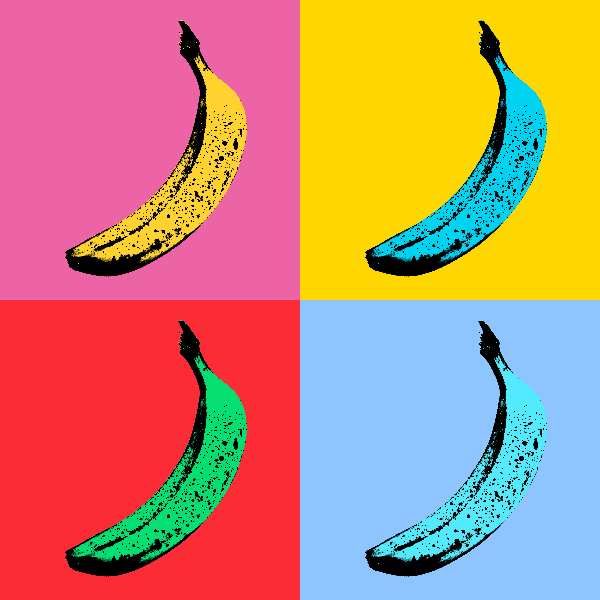
팝아트 효과
사진을 네온 격자, 코믹 도트, 리소그래프 잉크, 리히텐슈타인, Banksy 스텐실 등 대담한 팝아트 포스터로 바꿔보세요. 소프트웨어를 설치할 필요 없이 브라우저에서 PictorX를 무료로 사용하세요.

앤디 워홀 효과
대담한 컬러 그리드, 반복되는 아이콘, 실크스크린 포스터처럼 느껴지는 팝아트 초상화 등 앤디 워홀의 팩토리 에너지를 채널로 표현하세요. 소프트웨어를 설치할 필요 없이 브라우저에서 PictorX를 무료로 사용하세요.

팝아트에 대한 추가 정보
팝아트가 어떻게 광고, 만화, 소비재를 예술로 승화시켰는지 알아보세요. Andy Warhol, 로이 리히텐슈타인, 실크스크린, 대중문화의 부상.
폴록 페인터
브라우저에서 잭슨 폴록 스타일 드립을 그리세요. 제스처 브러시, 오토 폴록, 팔레트, PNG 내보내기 — 업로드 없음.
시도해 볼 준비가 되셨나요?
브라우저에서 PictorX를 엽니다. 설치가 필요 없고 시작하는 데 신용 카드가 필요하지 않습니다.
편집자로 이동