
String searching explained
Every time you press Ctrl+F, search a log file or look up a gene, a program has to find where a short pattern occurs in a long text. The obvious way works, but can be painfully slow on the wrong input. In the 1970s and 1980s computer scientists found several ways to do far better, each with an idea of its own: remember what has matched, look from the other end, or compare fingerprints instead of characters.
The problem
Given a text T of n characters and a pattern P of m characters, find every shift s at which P matches T character by character, overlapping matches included: ABA occurs twice in ABABA, at shifts 0 and 2. Each algorithm here slides the pattern along the text from left to right. What sets them apart is how many characters they compare at each alignment, and how far they dare to move the pattern after a mismatch without skipping a match.
Naive search and its worst case
The simplest method tries every shift from 0 to n − m and compares from the left until the first mismatch. On ordinary text a mismatch comes quickly and the method is fast enough. But on a text of thirty A's and a pattern AAAB, every alignment compares four characters before failing, and in general the count can approach n × m. The waste is plain to see: after AAA has matched, the algorithm knows what the next characters of the text are, and then forgets it.
Knuth–Morris–Pratt: never look back
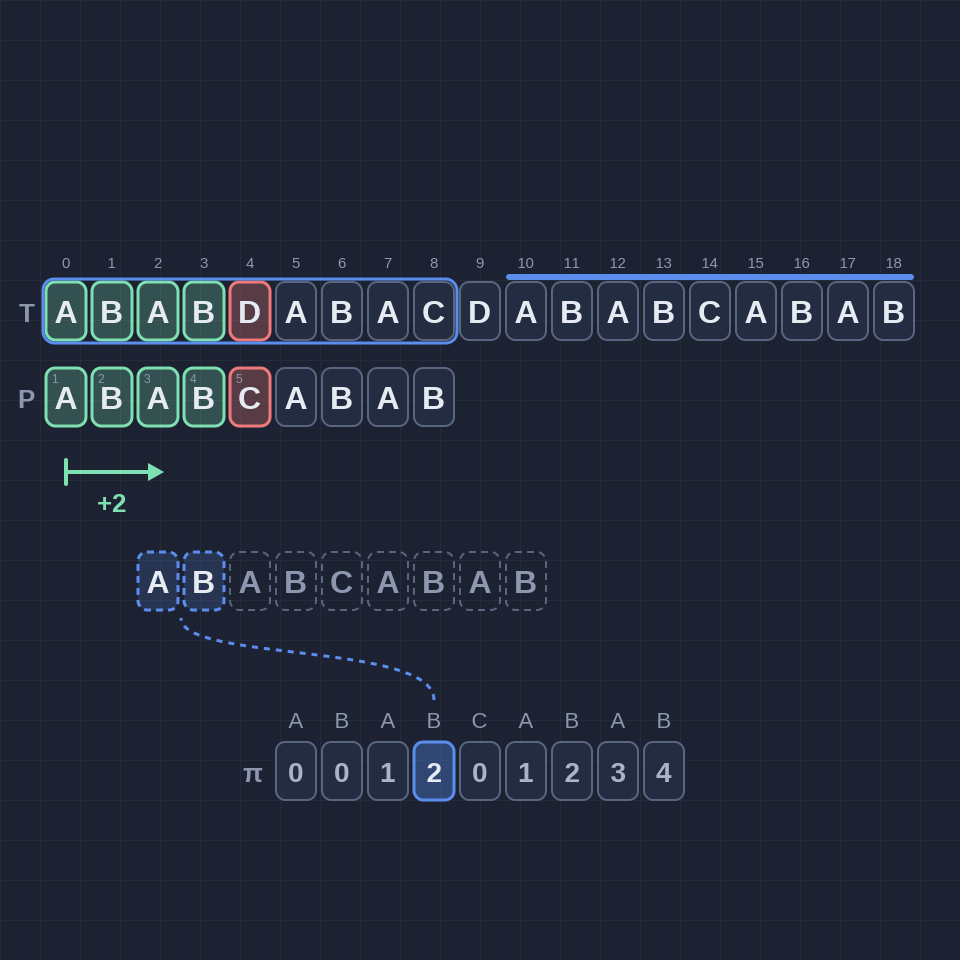
KMP keeps what the comparisons learned. Before searching it computes the prefix function: π[j] is the length of the longest proper prefix of P[0..j] that is also a suffix of it. For ABABCABAB it is 0 0 1 2 0 1 2 3 4. When a mismatch follows j matching characters, the pattern moves by j − π[j−1], and its first π[j−1] characters are already known to match, so the comparison continues at the same text character. The text is read from left to right without ever stepping back, and the search takes at most about 2n comparisons.
Boyer–Moore: start from the end
Boyer–Moore compares the pattern from right to left. If the text character under the last cell does not occur in the pattern at all, no alignment covering it can match, so the pattern jumps its whole length. The bad-character rule generalises this: line the mismatched text character up with its last occurrence λ(c) in the pattern, a shift of j − λ(c). The good-suffix rule looks at the characters that did match and moves them onto their next copy in the pattern, or onto a prefix that equals an end of them. Both shifts are safe, so the larger one wins. On long patterns over a large alphabet, Boyer–Moore looks at only a fraction of the text.
Horspool's shortcut
In 1980 Nigel Horspool noticed that most of Boyer–Moore's speed on normal text comes from the bad-character rule. His version keeps a single table, indexed by the text character under the pattern's last cell, whatever position the mismatch was at: a character that does not occur in the first m − 1 cells shifts by m, others by their distance from the end. It is short to write and fast in practice, but has no good worst-case guarantee, which is why tools like grep combine it with other tricks.
Rabin–Karp: compare fingerprints
Rabin–Karp turns each window of m characters into a number, h = (c₀·d^(m−1) + c₁·d^(m−2) + … + cₘ₋₁) mod q, for a base d and a prime modulus q. Moving the window one place takes only a few operations: subtract the leaving character times d^(m−1), multiply by d and add the new character. The characters are compared only when the window hash equals the pattern hash. Equal hashes over different characters are spurious hits; a larger modulus makes them rare. The same idea finds any of many patterns of the same length at once, or repeated passages in documents.
Who found them
James Morris found the KMP idea in 1970 while writing a text editor, and Donald Knuth found it independently from a theorem about automata; with Vaughan Pratt they published it in 1977. In the same year Robert Boyer and J Strother Moore published their right-to-left algorithm. Michael Rabin and Richard Karp, both Turing Award winners, described randomised fingerprint matching in 1987. Later came Aho–Corasick for many patterns at once, suffix trees and arrays for searching one text many times, and the bit-parallel methods inside modern search tools.

Explore it
Open the string search visualizer to watch all of this on your own text or on the examples: the classic ABABDABACDABABCABAB, a DNA strand, naive search's worst case, Boyer–Moore's best case and a Rabin–Karp example full of spurious hits. Step through each alignment, read the rule behind every shift, see which table entry was used, and compare the number of character comparisons of all five algorithms.
Frequently asked questions
Why does KMP need at most 2n comparisons?
Every comparison either matches, and moves the read position in the text one place to the right, or fails, and moves the pattern at least one place to the right. Neither the read position nor the pattern ever moves back, and each can move at most n places, so there are at most about 2n comparisons in all.
Can Boyer–Moore be slow?
With the bad-character rule alone, a text of A's and a pattern like BAAA gives about n × m comparisons. The good-suffix rule removes that worst case for finding a single match, and Galil's refinement keeps the whole search linear even when there are many matches. On normal text these cases hardly matter.
Which algorithm do real programs use?
Many. Text editors and standard libraries often use a Boyer–Moore–Horspool variant or a two-way algorithm with constant extra memory; GNU grep combines Boyer–Moore with fast checks for rare bytes; virus scanners and network filters use Aho–Corasick to look for thousands of patterns at once; DNA search tools rely on indexes such as suffix arrays.
How is the Rabin–Karp modulus chosen?
As a large prime, so that two different windows rarely share a hash, and small enough that the arithmetic fits the machine's numbers. Choosing the base or the modulus at random makes it hard for anyone to construct a text that causes many spurious hits. The visualizer offers a few moduli, from 13 with many spurious hits to 1,000,003 with almost none.
Related tools
String search visualizer
Watch naive search, Knuth–Morris–Pratt, Boyer–Moore and Rabin–Karp find a pattern in a text step by step: the compared characters, every shift and the rule behind it, the prefix function, bad-character and good-suffix tables, rolling hashes, and the comparisons of each algorithm side by side.

Linear search
Watch linear search step by step. Choose a value to find, see the list checked one value at a time, and count the comparisons it takes to find it, or to learn it is not there.
Hash function playground
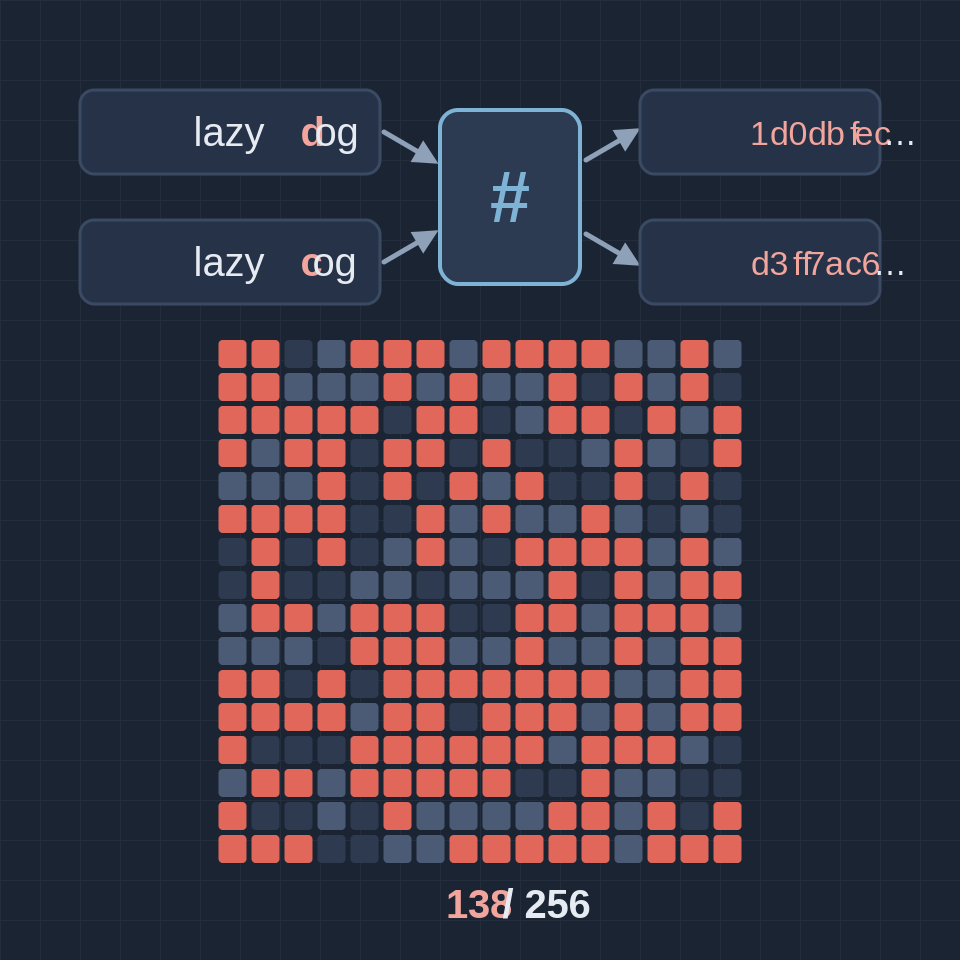
Hash any text with SHA-256, SHA-512, SHA-1, MD5 and CRC-32, change one character and watch half the digest bits flip, test the avalanche effect, and find collisions on short digests with the birthday attack.
Edit distance (Levenshtein distance)
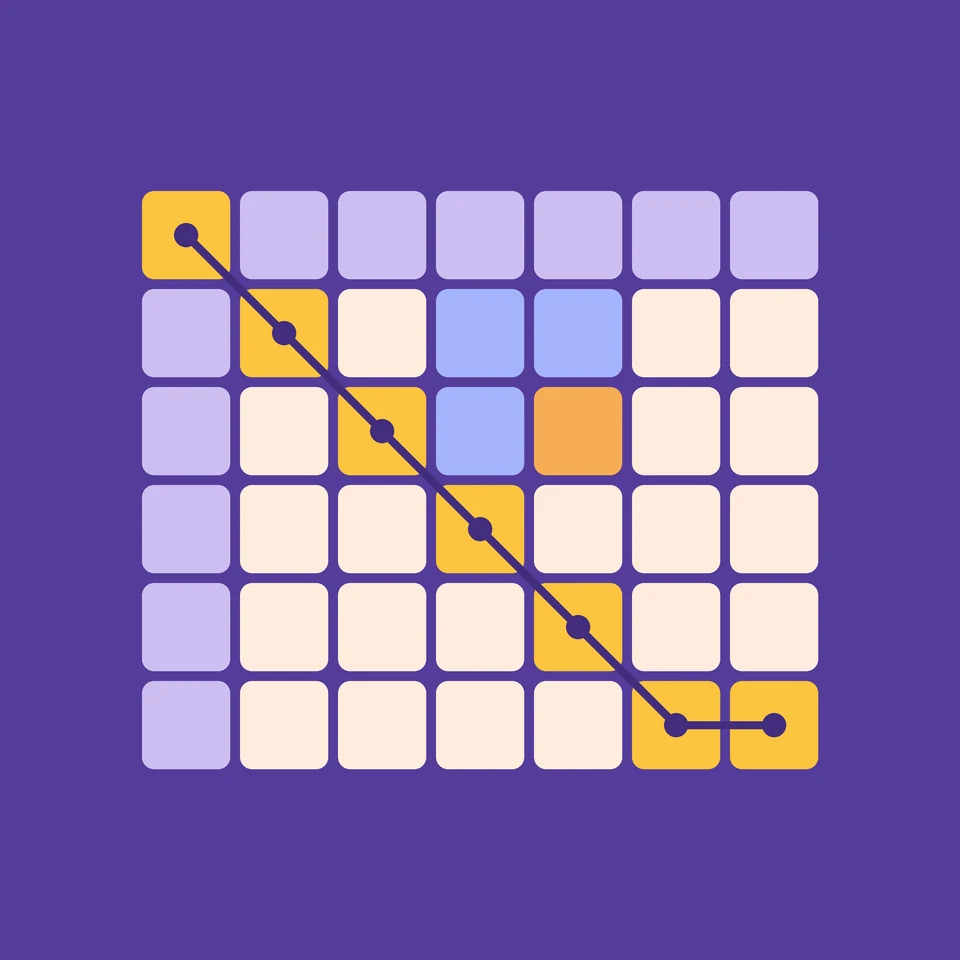
Find the edit distance between two words and watch the Levenshtein table fill step by step. See each cell choose between insert, delete and replace, and read the edits back from the corner.
Longest common subsequence (LCS)
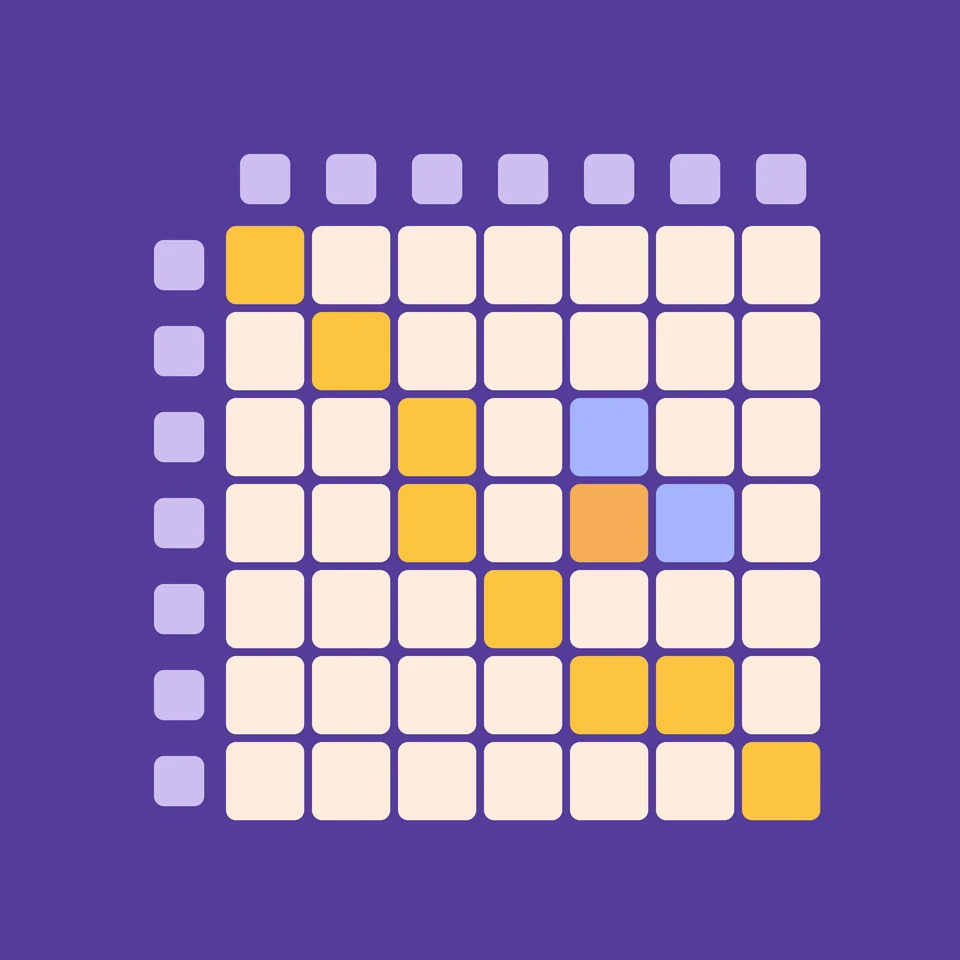
Watch the longest common subsequence of two words found step by step. See each cell compare two letters, fill from its neighbours, and trace the shared letters back from the corner.
Ready to try it?
Open PictorX in your browser — no install, no credit card required to start.
Open the string search visualizer