

Coba tampilan warna di bawah, atau buka gambar Anda sendiri.
Halftone effect
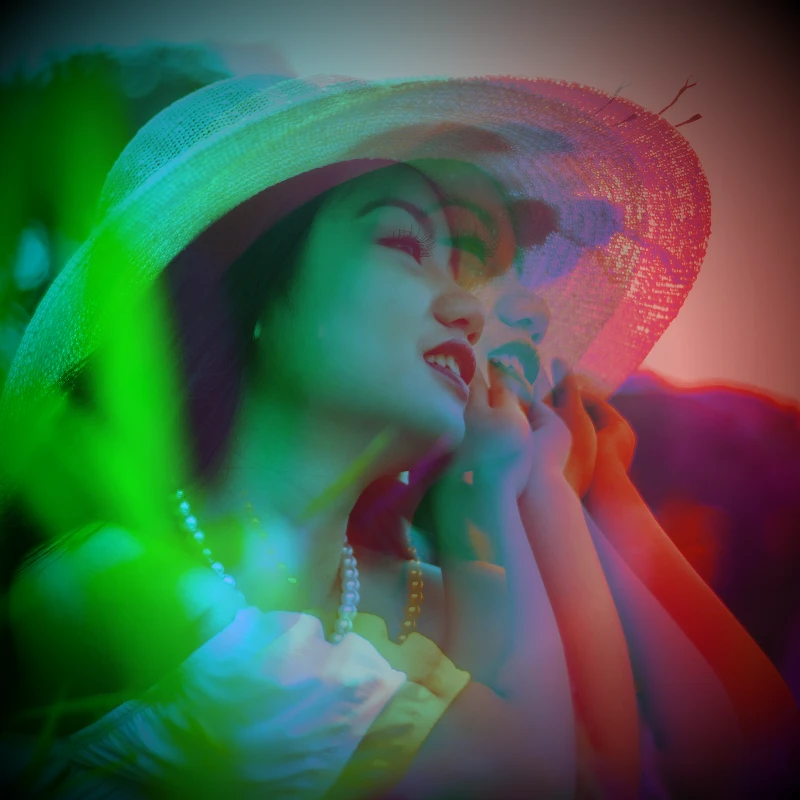
Open a photo and apply Halftone in PictorX. This look is part of Efek warna—adjust the settings on this page, then keep editing with layers, text, and other effects in the same workspace. Coba tampilan warna di bawah, atau buka gambar Anda sendiri.
Cara kerjanya
- Open this page and try Halftone on the sample, or open your own photo.
- Tune the Halftone settings, or switch to another look in Efek warna.
- Save the result, or keep editing with layers, text, and other effects in PictorX.
What the Halftone effect does
Halftone is one of the looks in PictorX Efek warna. Apply it in your browser, then keep working in the same project—crop, type, or add another effect without starting over.
More looks in Efek warna
This page opens Efek warna with Halftone already selected. Switch looks on the demo to compare styles, or open the full Efek warna page to browse every option in the set.
Looks in this set
Alat terkait
Efek warna
Warnai ulang foto dari Efek → Warna dengan tepi neon, peta panas, dan palet dua atau tiga warna.
Balikkan Warna Gambar Online
Balikkan warna gambar apa pun secara online: hitam jadi putih, merah jadi cyan, dan setiap warna berubah ke kebalikannya. Transparansi tetap terjaga.
Tambahkan Rona Warna pada Foto
Beri rona warna (tint) pada foto secara online. Pilih warna, atur kekuatannya, dan beri gambar nuansa biru sejuk, amber hangat, atau kaca berwarna.
Holga1 effect
Apply a Holga1 effect to photos free in your browser. Open the Efek warna tools, tune the look, and keep editing in PictorX. No install.
Holga2 effect
Apply a Holga2 effect to photos free in your browser. Open the Efek warna tools, tune the look, and keep editing in PictorX. No install.
Efek Foto Peta Panas
Ubah foto menjadi peta panas (heatmap) online: area gelap menjadi biru, nada tengah hijau dan kuning, dan area terang merah, seperti gambar kamera termal.
Filter Foto Holografis
Tambahkan foil pelangi holografis ke foto atau PNG transparan apa pun secara online. Atur kekuatannya dan dapatkan tampilan stiker atau kartu yang berkilau.
Lainnya information tentang warna
Bagaimana warna bekerja di layar dan cetakan? Cahaya dan pencampuran, RGB, CMYK, HSL dan HSV, kode hex, roda warna, gradien, kontras, dan aksesibilitas.
Siap mencobanya?
Buka PictorX di browser Anda — tanpa instalasi, tanpa kartu kredit untuk memulai.
Ke Editor