

Încearcă un look de culoare mai jos sau deschide propria imagine.
Holga2 effect
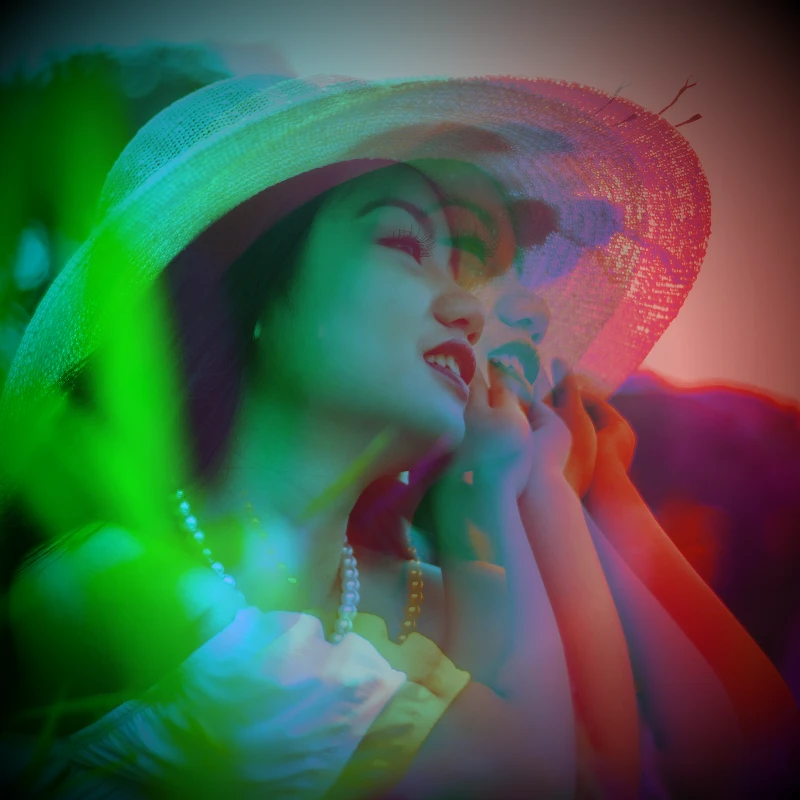
Open a photo and apply Holga2 in PictorX. This look is part of Efecte de culoare—adjust the settings on this page, then keep editing with layers, text, and other effects in the same workspace. Încearcă un look de culoare mai jos sau deschide propria imagine.
Cum funcționează
- Open this page and try Holga2 on the sample, or open your own photo.
- Tune the Holga2 settings, or switch to another look in Efecte de culoare.
- Save the result, or keep editing with layers, text, and other effects in PictorX.
What the Holga2 effect does
Holga2 is one of the looks in PictorX Efecte de culoare. Apply it in your browser, then keep working in the same project—crop, type, or add another effect without starting over.
More looks in Efecte de culoare
This page opens Efecte de culoare with Holga2 already selected. Switch looks on the demo to compare styles, or open the full Efecte de culoare page to browse every option in the set.
Looks in this set
Unelte conexe
Efecte de culoare
Recolorează o fotografie din Efecte → Culoare cu margini neon, hărți termice și palete cu două sau trei culori.
Inversează culorile unei imagini online
Inversează online culorile oricărei imagini: negrul devine alb, roșul devine cyan și fiecare culoare trece în opusul ei. Transparența se păstrează.
Adaugă o tentă de culoare unei fotografii
Aplică online o tentă de orice culoare pe o fotografie. Alege culoarea și intensitatea pentru un aspect albastru rece, chihlimbariu cald sau de sticlă colorată.
Holga1 effect
Apply a Holga1 effect to photos free in your browser. Open the Efecte de culoare tools, tune the look, and keep editing in PictorX. No install.
Efect foto heatmap
Transformă o poză într-o hartă termică online: zonele întunecate devin albastre, tonurile medii verzi și galbene, cele luminoase roșii, ca la o cameră termică.
Filtru foto holografic
Adaugă online o folie holografică curcubeu pe orice fotografie sau PNG transparent. Setează intensitatea pentru un aspect lucios, irizat, de autocolant.
Filtru foto X-Ray
Aspect de radiografie online: luminozitatea e inversată, contrastul crescut și se adaugă o tentă albastră. Schimbă culoarea, contrastul și intensitatea.
Culori
Cum funcționează culorile pe ecran și la tipar? Lumina și amestecul, RGB, CMYK, HSL și HSV, coduri hex, cercul cromatic, gradienți, contrast și accesibilitate.
Ești gata să încerci?
Deschide PictorX în browser – fără instalare și fără card de credit.
Mergi la editor