

Попробуйте цветовой стиль ниже или откройте своё изображение.
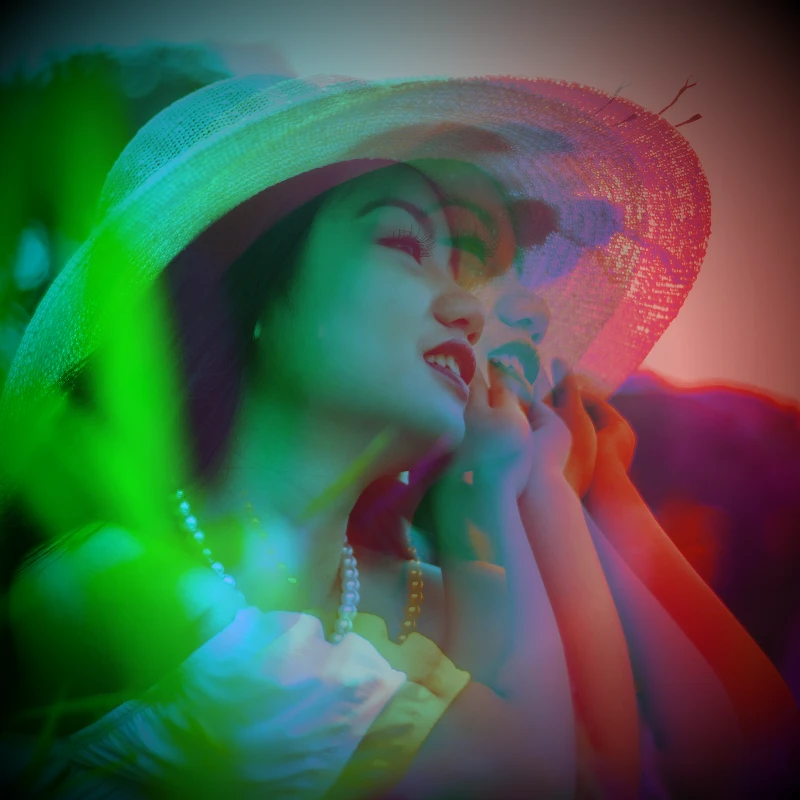
Holga1 effect
Open a photo and apply Holga1 in PictorX. This look is part of Цветовые эффекты—adjust the settings on this page, then keep editing with layers, text, and other effects in the same workspace. Попробуйте цветовой стиль ниже или откройте своё изображение.
Как это работает
- Open this page and try Holga1 on the sample, or open your own photo.
- Tune the Holga1 settings, or switch to another look in Цветовые эффекты.
- Save the result, or keep editing with layers, text, and other effects in PictorX.
What the Holga1 effect does
Holga1 is one of the looks in PictorX Цветовые эффекты. Apply it in your browser, then keep working in the same project—crop, type, or add another effect without starting over.
More looks in Цветовые эффекты
This page opens Цветовые эффекты with Holga1 already selected. Switch looks on the demo to compare styles, or open the full Цветовые эффекты page to browse every option in the set.
Looks in this set
Сопутствующие инструменты
Цветовые эффекты
Перекрасьте фото через Эффекты → Цвет: неоновые края, тепловые карты и палитры из двух или трёх цветов.
Инвертировать цвета изображения онлайн
Инвертируйте цвета любого изображения онлайн: чёрный становится белым, красный — голубым, и каждый цвет меняется на противоположный. Прозрачность сохраняется.
Тонирование фото в цвет
Тонируйте фото онлайн в любой цвет. Выберите цвет оттенка, задайте интенсивность и придайте снимку холодный синий, тёплый янтарный или вид цветного стекла.
Holga2 effect
Apply a Holga2 effect to photos free in your browser. Open the Цветовые эффекты tools, tune the look, and keep editing in PictorX. No install.
Эффект тепловой карты для фото
Превратите фото в тепловую карту онлайн: тёмные области становятся синими, средние тона — зелёными и жёлтыми, а светлые — красными, как на снимке тепловизора.
Голографический фильтр для фото
Добавьте голографическую радужную фольгу на фото или прозрачный PNG онлайн. Задайте интенсивность и получите блестящий вид наклейки или карточки.
Фильтр «Рентген» для фото
Придайте фото вид рентгеновского снимка онлайн: яркость инвертируется, контраст повышается, добавляется синий оттенок. Меняйте цвет, контраст и интенсивность.
цвете
Как работает цвет на экране и в печати? Свет и смешение, RGB, CMYK, HSL и HSV, hex-коды, цветовой круг, градиенты, контраст и доступность.
Готовы попробовать?
Откройте PictorX в своем браузере — установка не требуется, для запуска не требуется кредитная карта.
Перейти в редактор