

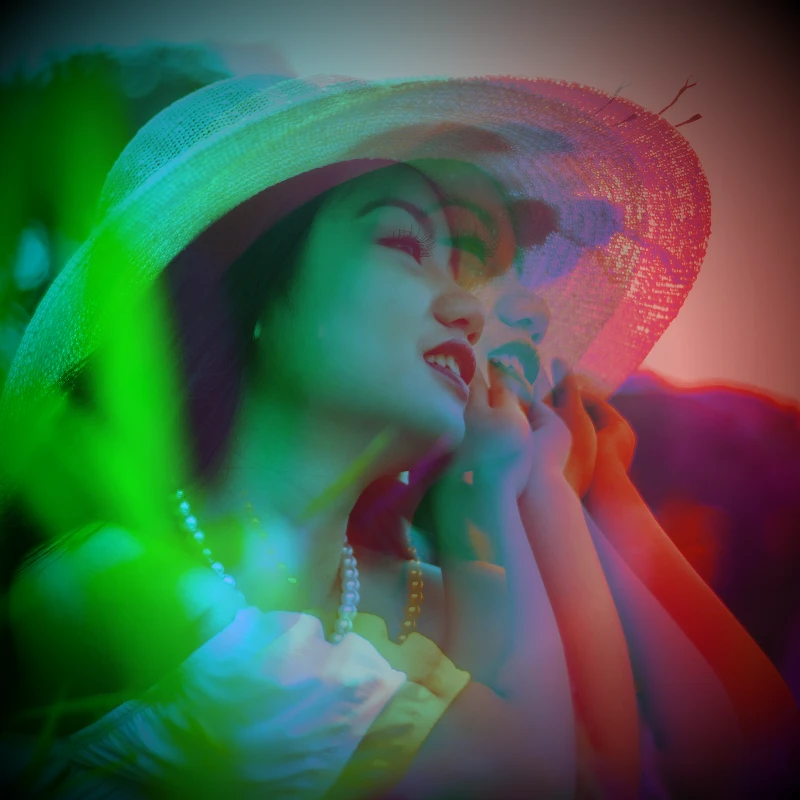
جرّب مظهر لون أدناه، أو افتح صورتك الخاصة.
ثنائي اللون effect
Open a photo and apply ثنائي اللون in PictorX. This look is part of تأثيرات الألوان—adjust the settings on this page, then keep editing with layers, text, and other effects in the same workspace. جرّب مظهر لون أدناه، أو افتح صورتك الخاصة.
كيف يعمل
- Open this page and try ثنائي اللون on the sample, or open your own photo.
- Tune the ثنائي اللون settings, or switch to another look in تأثيرات الألوان.
- Save the result, or keep editing with layers, text, and other effects in PictorX.
What the ثنائي اللون effect does
ثنائي اللون is one of the looks in PictorX تأثيرات الألوان. Apply it in your browser, then keep working in the same project—crop, type, or add another effect without starting over.
More looks in تأثيرات الألوان
This page opens تأثيرات الألوان with ثنائي اللون already selected. Switch looks on the demo to compare styles, or open the full تأثيرات الألوان page to browse every option in the set.
Looks in this set
الأدوات ذات الصلة
تأثيرات الألوان
امنح الصور توهجاً سينمائياً من التأثيرات → اللون.
عكس ألوان الصورة أونلاين
اعكس ألوان أي صورة أونلاين: يصبح الأسود أبيض والأحمر سماويًا وينقلب كل لون إلى عكسه. وتبقى الشفافية كما هي.
إضافة صبغة لونية إلى صورة
اصبغ صورة أونلاين بأي لون. اختر لون الصبغة واضبط القوة وامنح الصورة مظهرًا أزرق باردًا أو كهرمانيًا دافئًا أو مظهر الزجاج الملون.
Holga1 effect
Apply a Holga1 effect to photos free in your browser. Open the تأثيرات الألوان tools, tune the look, and keep editing in PictorX. No install.
Holga2 effect
Apply a Holga2 effect to photos free in your browser. Open the تأثيرات الألوان tools, tune the look, and keep editing in PictorX. No install.
تأثير الخريطة الحرارية للصور
حوّل صورة إلى خريطة حرارية أونلاين: تصبح المناطق الداكنة زرقاء والدرجات المتوسطة خضراء وصفراء والمناطق الساطعة حمراء، كصورة كاميرا حرارية.
فلتر الصور الهولوغرافي
أضف رقائق قوس قزح هولوغرافية إلى أي صورة أو ملف PNG شفاف أونلاين. اضبط القوة واحصل على مظهر ملصق أو بطاقة لامعة متقزحة.
الألوان
كيف تعمل الألوان على الشاشات وفي الطباعة؟ الضوء والمزج، وRGB وCMYK وHSL وHSV، ورموز hex، وعجلة الألوان، والتدرجات، والتباين وإمكانية الوصول.
هل أنت مستعد لتجربتها؟
افتح PictorX في متصفحك - بدون تثبيت، ولا يلزم وجود بطاقة ائتمان للبدء.
الانتقال إلى المحرر